Start a rank
- Open the creator's profile with the Videos tab showing:
tiktok.com/@handle. - Click the ViewRank icon and keep Videos selected. The popup warns you if it can't confirm you're on the Videos tab.
- Pick a recent count and click Rank Now.
The page reloads, collects while scrolling, and opens the ranked overlay.
What TikTok shows that Instagram doesn't
TikTok exposes more per video, and ViewRank puts all of it on the card:
| Metric | On the card |
|---|---|
| Views, likes, comments | Yes, and each is a sort tab |
| Shares | Yes, and a sort tab of its own |
| Saves | Yes, and a sort tab of its own |
| Engagement rate | Yes, calculated per video |
The stats strip adds Median ER, the creator's typical engagement rate, so you can tell whether a video connected with people or was carried by the algorithm's reach alone. A video with big views and below-median engagement usually got lucky. Big views plus above-median engagement is the pattern worth copying.
Avg Length works here too, showing typical duration for the creator's top videos.
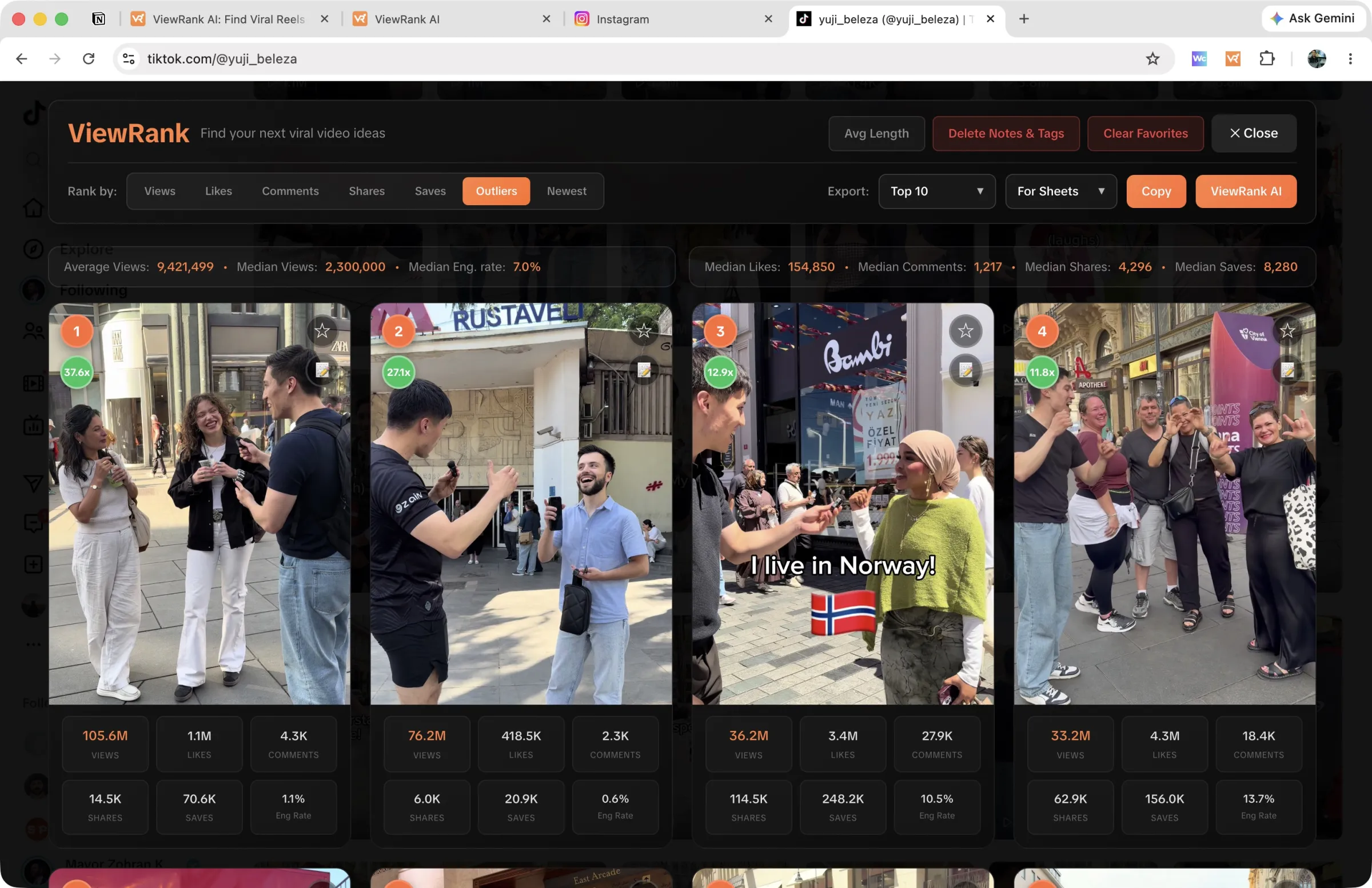
Sorting
Sort tabs: views, likes, comments, shares, saves, outliers, and newest. Re-sorting is instant, no re-collection. Shares and saves are the two Instagram never gives you, and they answer different questions: shares tell you what people sent to a friend, saves tell you what people wanted to keep for later. Outlier scoring works the same on TikTok as on Instagram; the details are on the finding outliers page.
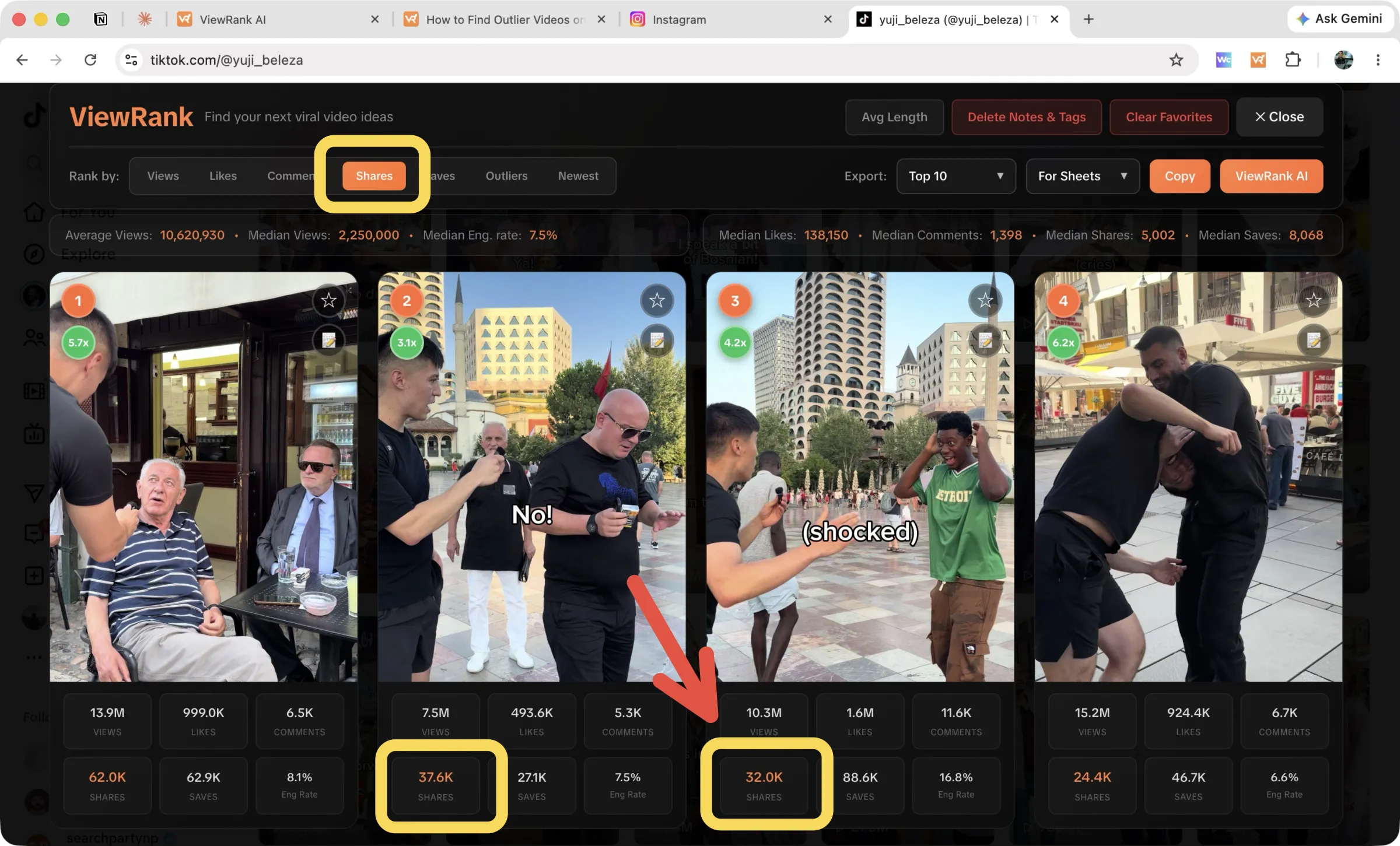
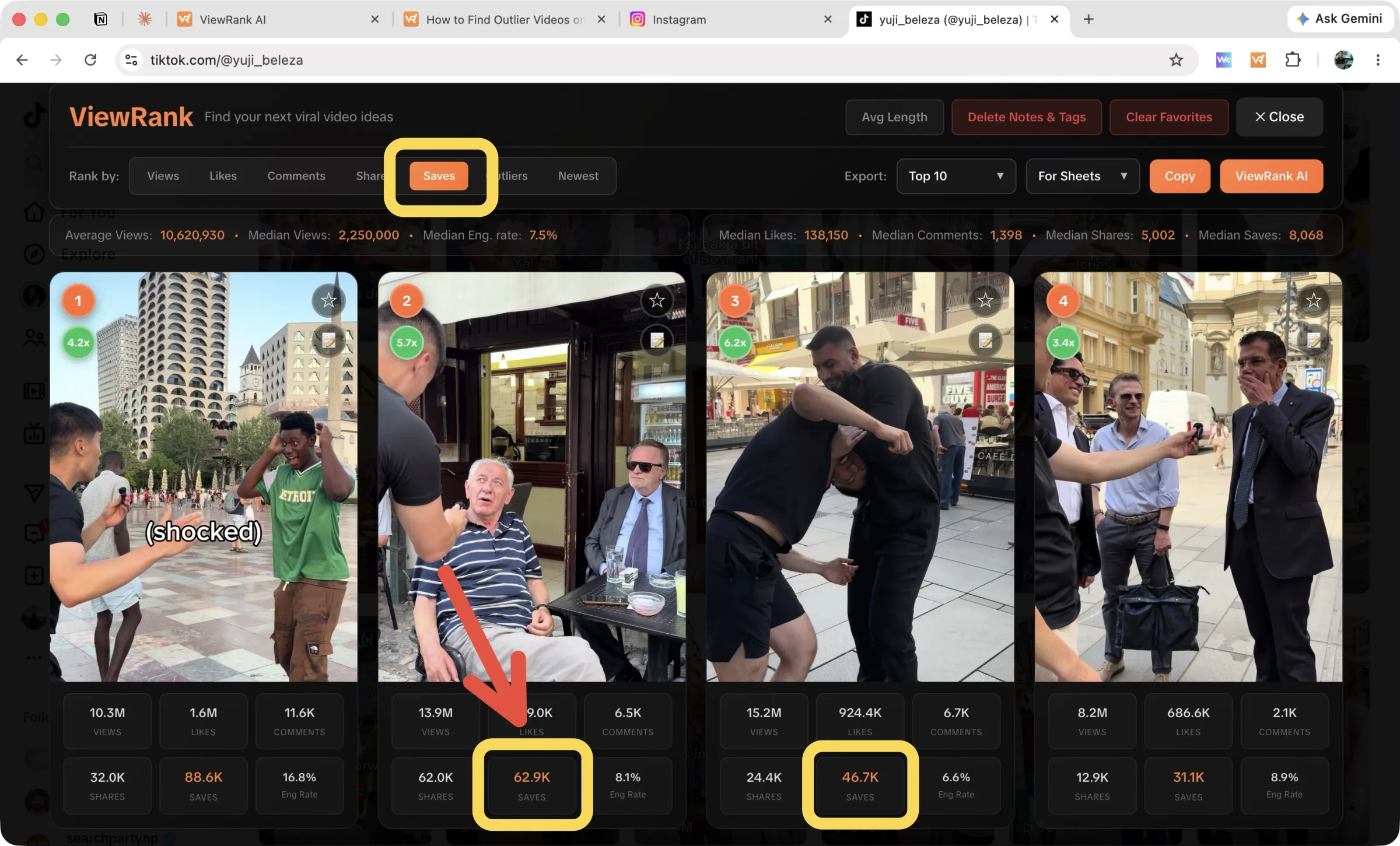
Favorites, notes, tags, and exports work exactly like they do on Instagram, and exports include the TikTok-only columns.
Downloads
Open any video in the overlay and the side panel offers Download video for the MP4 and Download audio for the sound on its own. The first time you save an audio track, Chrome asks for the optional downloads permission; details on the downloads page.
FAQ
The overlay opened but it's empty. Why?
Make sure the profile's Videos tab is visible before you rank, then hard-refresh and try again. Some regions load TikTok profiles differently, and a retry usually sorts it.
Does this work on tiktok.com search results or the For You feed?
No. Ranking works on creator profiles, where the numbers are all from one account and comparing them means something.