From the extension (the fast way)
Once connected, rank any Instagram or TikTok profile, select the winners in the overlay, and click ViewRank AI. The batch lands in your workspace together, so importing ten competitor outliers takes about as long as importing one.
Paste a link
Click Import at the top of All Videos and paste a public video link. This works for:
- Instagram Reels
- TikTok videos
- YouTube Shorts
- A direct MP4 link
Shorts matter here: the extension doesn't rank YouTube, so pasting links is how Shorts get into your research.
Two rules the importer enforces:
- The video must be public. Private accounts and followers-only videos won't import.
- The video must be vertical and under 3 minutes. ViewRank AI is built for short-form, so a landscape video or a long one is turned away with a message rather than half-imported.
Upload a file
File upload lives on the Transcriptions page, not in the Import dialog. Open Transcriptions in the sidebar, keep the Upload File tab selected, and choose a file: MP4, MOV, MP3, or WAV, up to 25 MB, with video under 3 minutes.
Use it for your own drafts, or for anything you have locally but can't link to. The file is transcribed and added to your library in one step.
Start from the tool you actually want
You don't have to import first and pick a tool second. Three of the sidebar pages take a link right at the bottom of the page and do both at once:
- Transcriptions: paste a link (or upload a file) and get the transcript.
- Visual Analysis: paste a link and get the scene-by-scene breakdown.
- All Videos: the Import button, when you just want the video in your library.
Whichever route you take, the video ends up in All Videos like any other import.
After the import
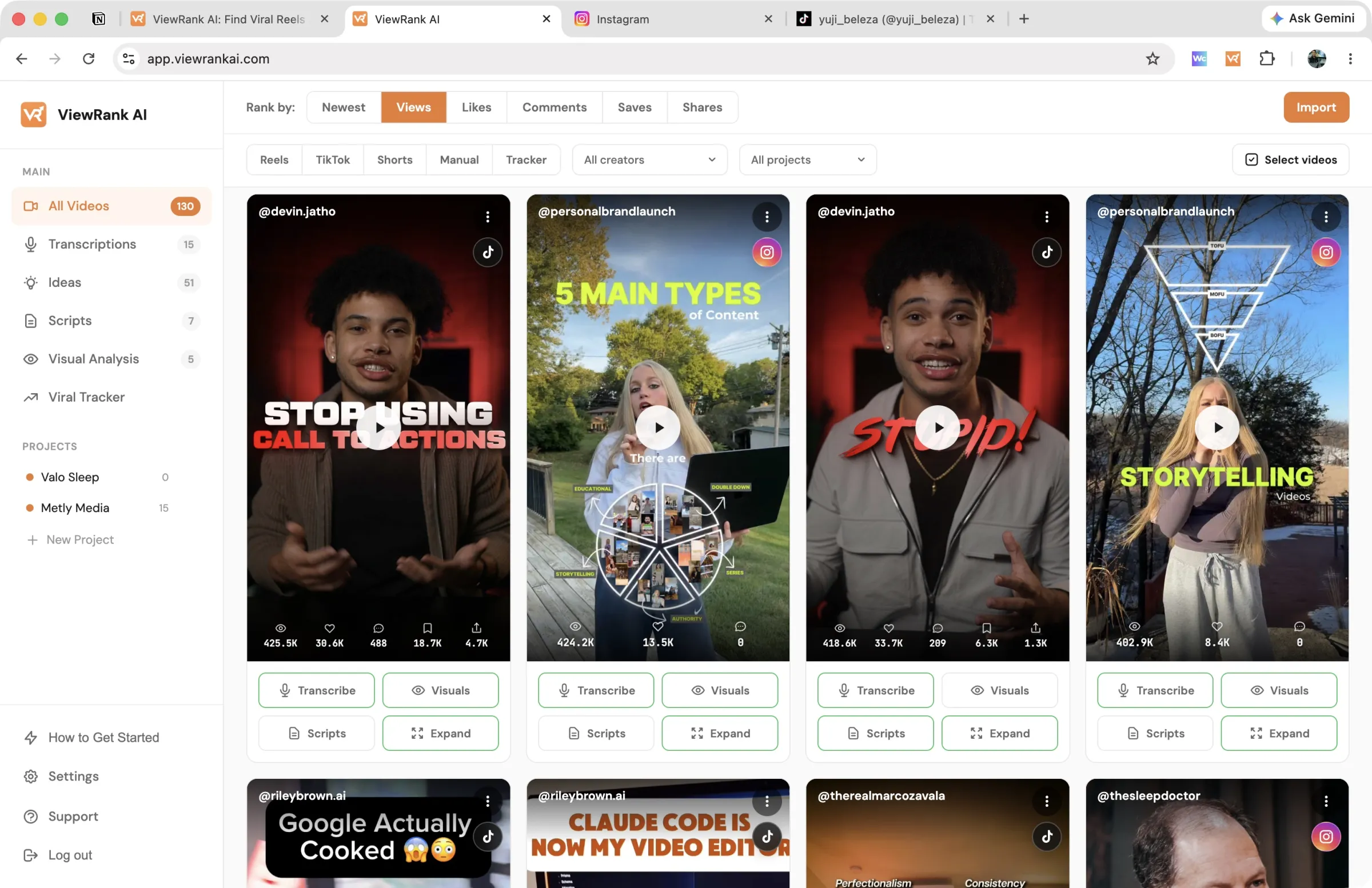
Everything arrives in All Videos. The filter bar sorts your library by source platform (Reels, TikTok, Shorts, or Manual for uploads), and the Rank by control orders it by newest, views, likes, comments, saves, or shares.
Saves and shares only fill in for TikTok, because Instagram and YouTube don't publish those numbers. Sorting a library of Reels by saves is expected to look flat.
Open any video to transcribe it, get ideas, or run a visual analysis.
Importing a video doesn't use any monthly credits. Credits are spent when you run something on it.
FAQ
My import failed. What's the usual cause?
For pasted links, the four common ones are a private or deleted video, a link to a profile rather than a single video, a landscape video, or one over 3 minutes. For extension imports, an API key mismatch is the usual one; see connecting the extension. Refresh and retry before anything else.
Why the 3-minute limit?
ViewRank AI is built for short-form. Transcription, ideas, and visual analysis are all tuned for videos under three minutes, which is where Reels, TikToks, and Shorts live anyway.
I can't find the upload button in the Import dialog.
It isn't there. Import takes links only; uploads live on the Transcriptions page under the Upload File tab.