Stop guessing what to post.
Find what's already working.
Then make it yours.

ViewRank AI is a content research tool that finds winning video ideas for Instagram and TikTok creators. Every creator has a few videos that did far better than the rest. Those are outliers. ViewRank finds them in one click, shows you why they worked, and helps you make your own version for your audience.

5.0 rating on the Chrome Web Store
1,000+ creators use ViewRank
How it works

Finding proven video ideas shouldn't take all day

Without ViewRank

You scroll through one creator after another, saving videos you like and guessing why they did well. And when you do find a good one, it is usually from a different niche, so you still have to work out what any of it means for you.

With ViewRank

You see a creator's best videos in seconds and read a plain explanation of why each one worked. Then you get ideas and scripts written for your subject and the people who watch you.

Free · ViewRank extension

Find the videos that went viral

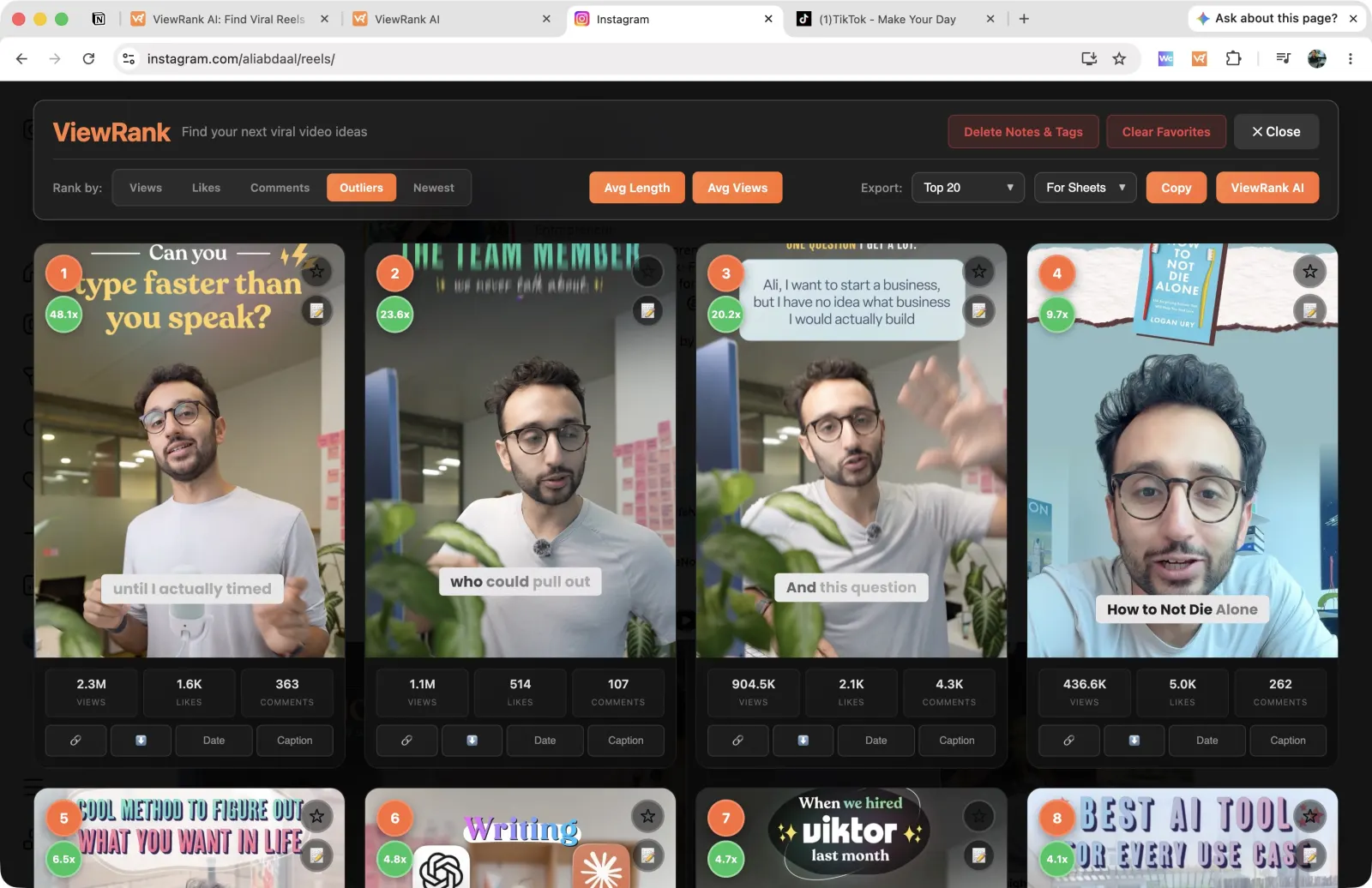
Open any creator's profile on Instagram or TikTok and click Rank Now. It works on Reels, TikTok videos, Instagram posts, and TikTok slideshows. Sort them by views, likes, comments, or newest, and the outliers are marked in green. On TikTok you also get shares and saves.

The ViewRank extension ranking an Instagram profile's Reels by outlier score
Screenshot coming The ViewRank extension ranking an Instagram profile's Reels by outlier score
The green badge is the outlier score: 48.1x means that Reel got 48 times the views this creator normally gets. Use the Rank by bar to re-sort by views, likes, comments, or newest.
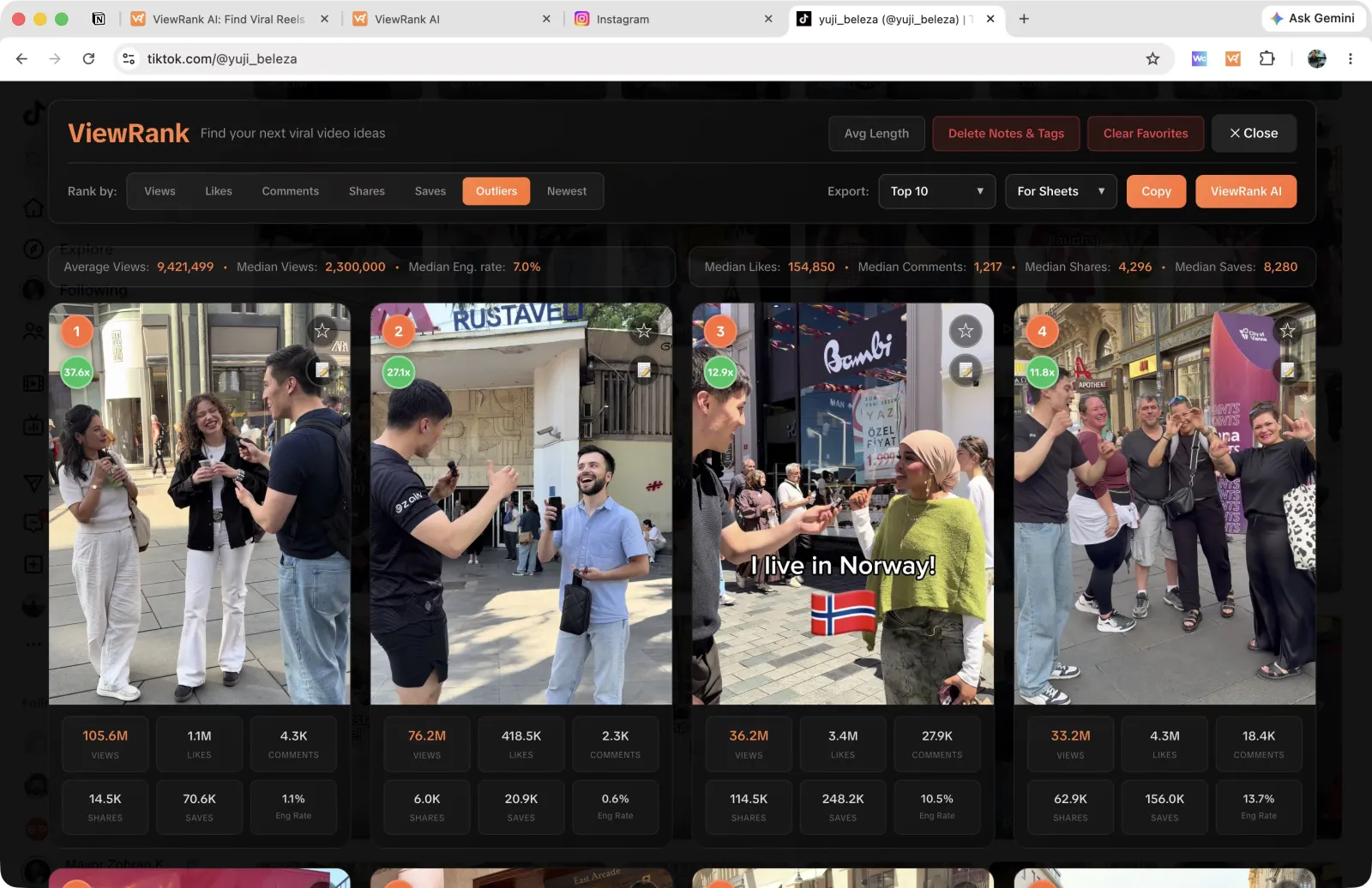
The ViewRank extension ranking a TikTok profile with average and median stats
Screenshot coming The ViewRank extension ranking a TikTok profile with average and median stats
TikTok adds shares and saves to the sorting options. The strip along the top shows the creator's average views, median views, and engagement rate, so you can see what normal looks like for them.
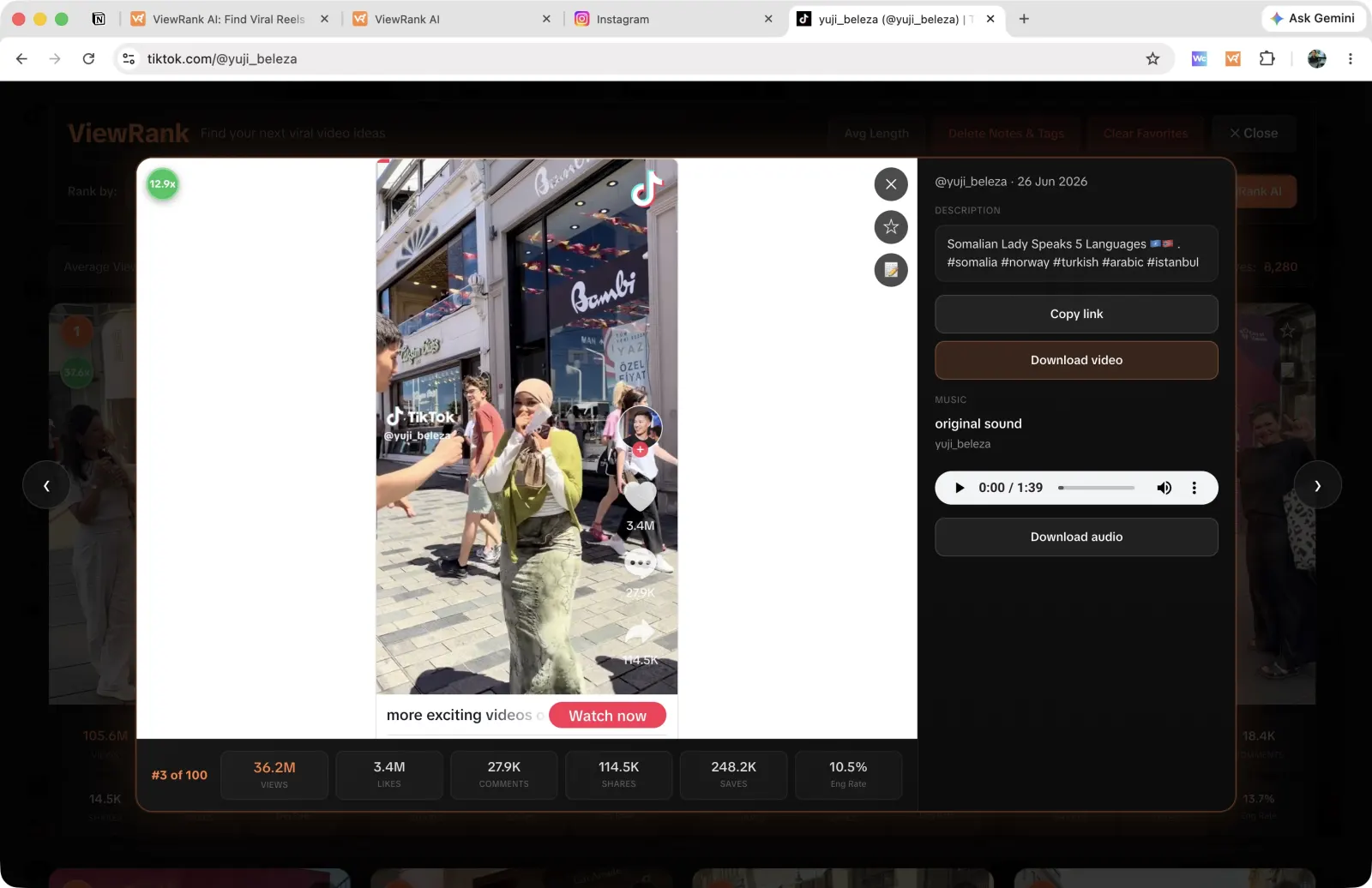
A video expanded inside the ViewRank overlay with its stats and download options
Screenshot coming A video expanded inside the ViewRank overlay with its stats and download options
Open a video without leaving the profile. You get the full caption, the sound it used, and buttons to download either the video or just the audio.
Or let ViewRank find them for you

Let ViewRank keep an eye on them for you

Add the creators you want to track for viral videos. ViewRank checks their profiles every few days and saves any new outlier straight to your account, so you can stop opening profiles one by one.

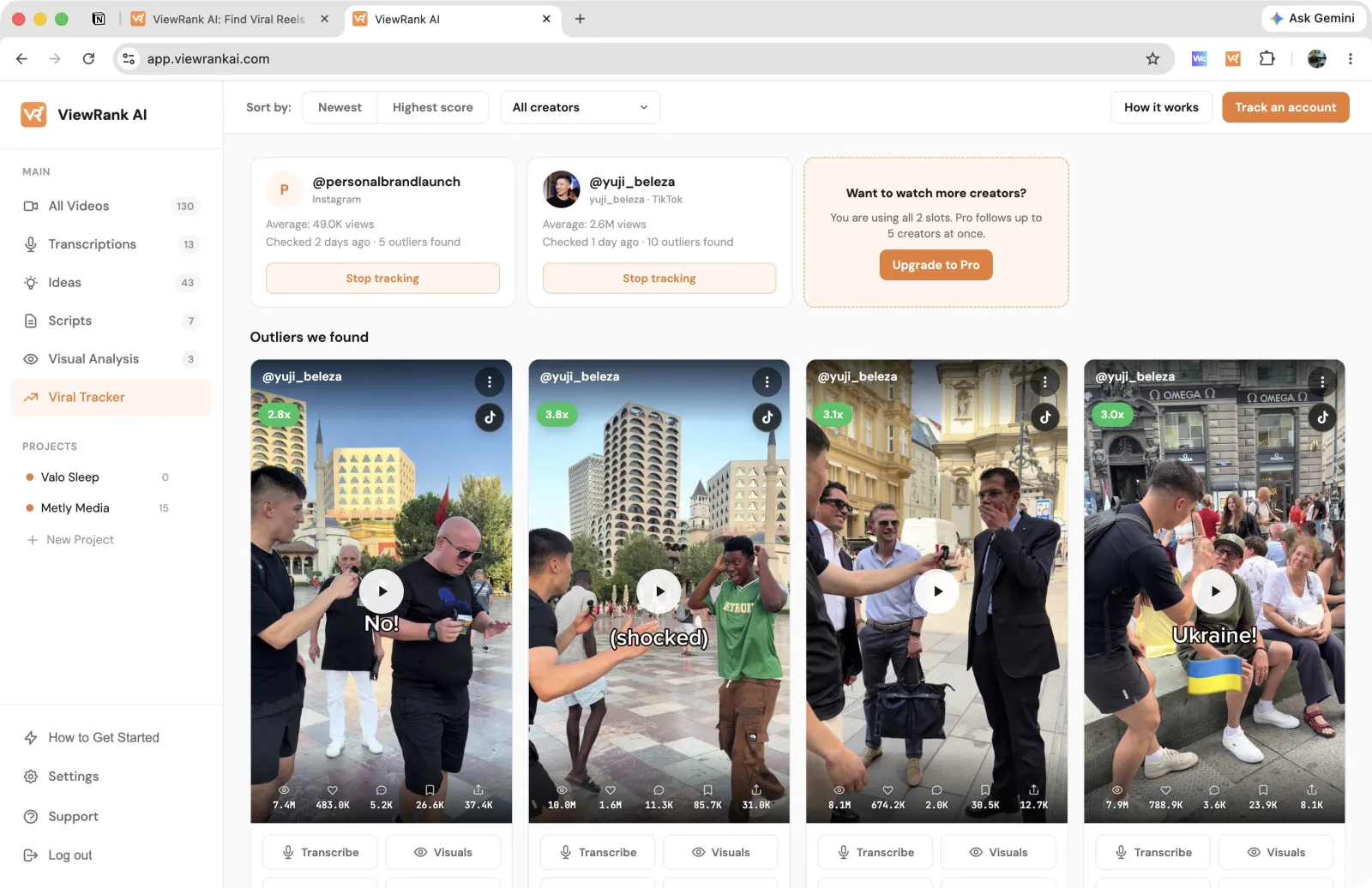
The Viral Tracker tab in ViewRank AI showing tracked creators and their outlier videos
Screenshot coming The Viral Tracker tab with hits from a few tracked creators
Everything the tracker found while you were away, newest first. Each card shows who posted it, which platform it came from, and how far it beat their average.
Then learn why it worked

See why a video did so well

Open any outlier and ViewRank goes through it scene by scene: what was said, what was on screen, and why people kept watching.

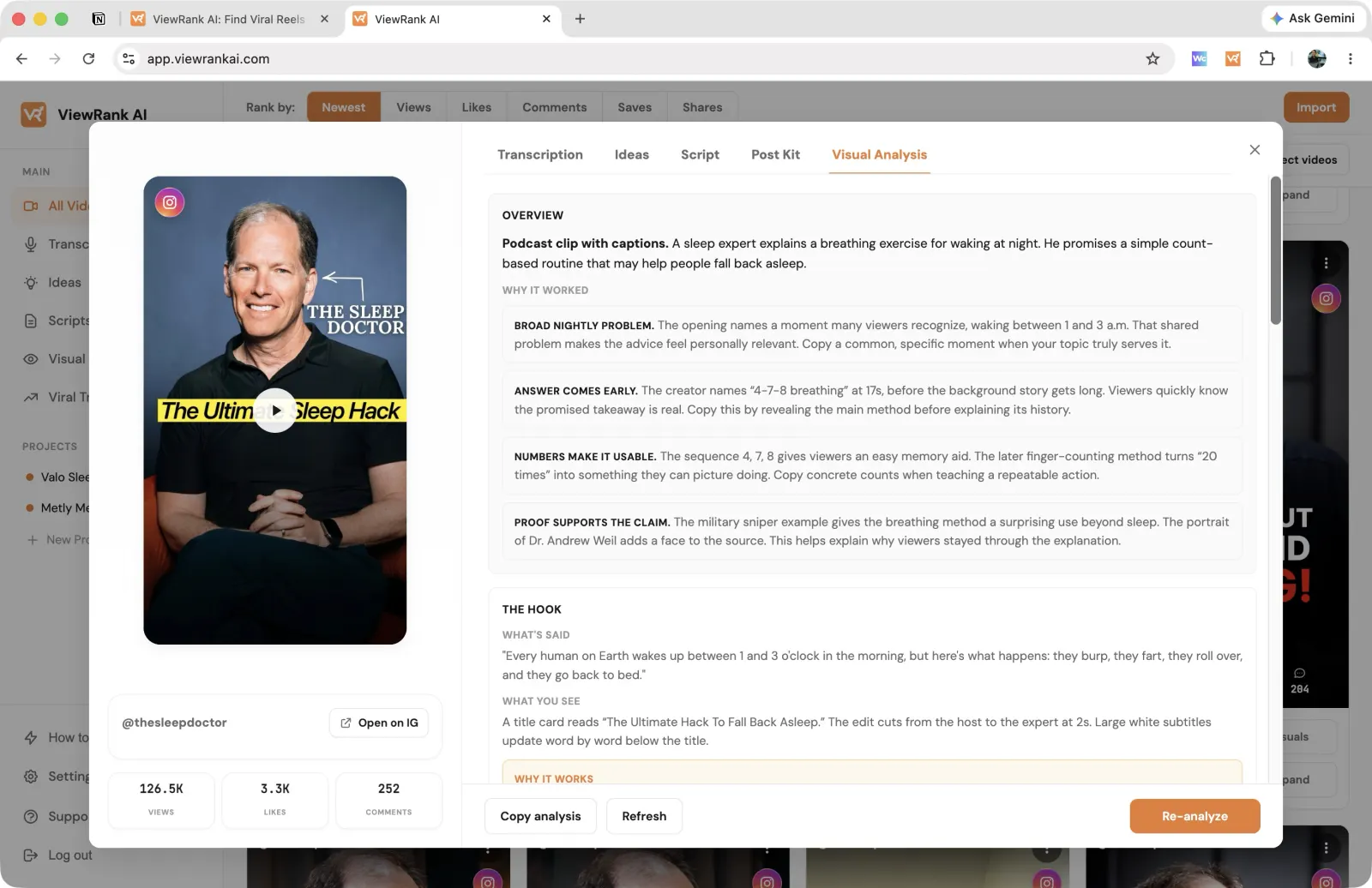
The visual analysis overview in ViewRank AI, summarising a video and why it worked
Screenshot coming The visual analysis overview in ViewRank AI, summarising a video and why it worked
The overview names the format in one line, then lists the specific reasons the video worked, each one with the takeaway you can copy.
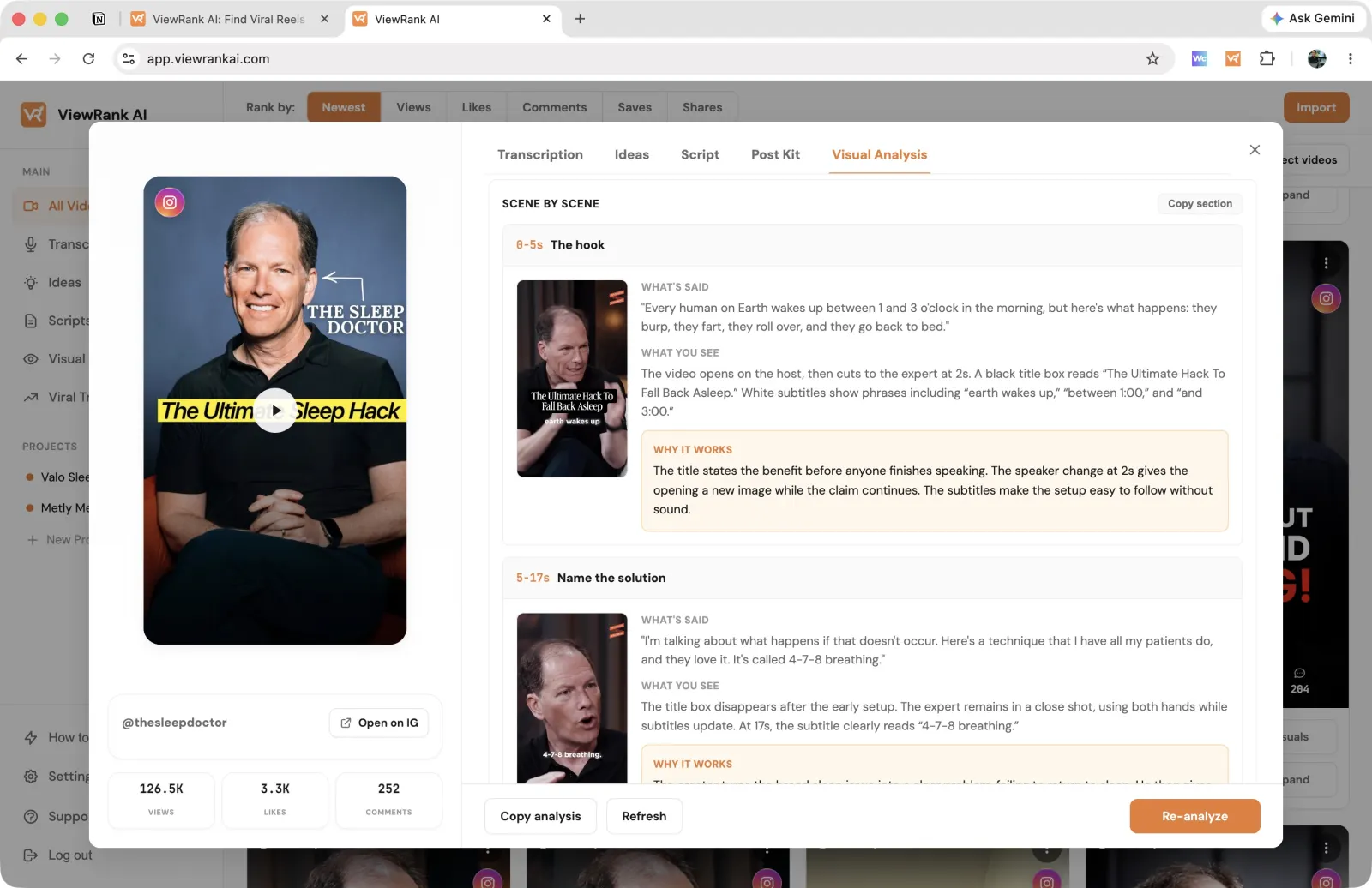
A ViewRank AI visual analysis broken into scenes with frames and notes on each one
Screenshot coming A ViewRank AI visual analysis broken into scenes with frames and notes on each one
Below that, the video is split into scenes. Each one shows the frame, what was said, what was on screen, and why that moment held attention.
Then make your own

Turn a video you liked into one of your own

Tell ViewRank what you make and who watches. It turns any outlier into fresh ideas and a script you can record, in your subject and your own words. Works with Instagram Reels, TikTok videos, and YouTube Shorts.

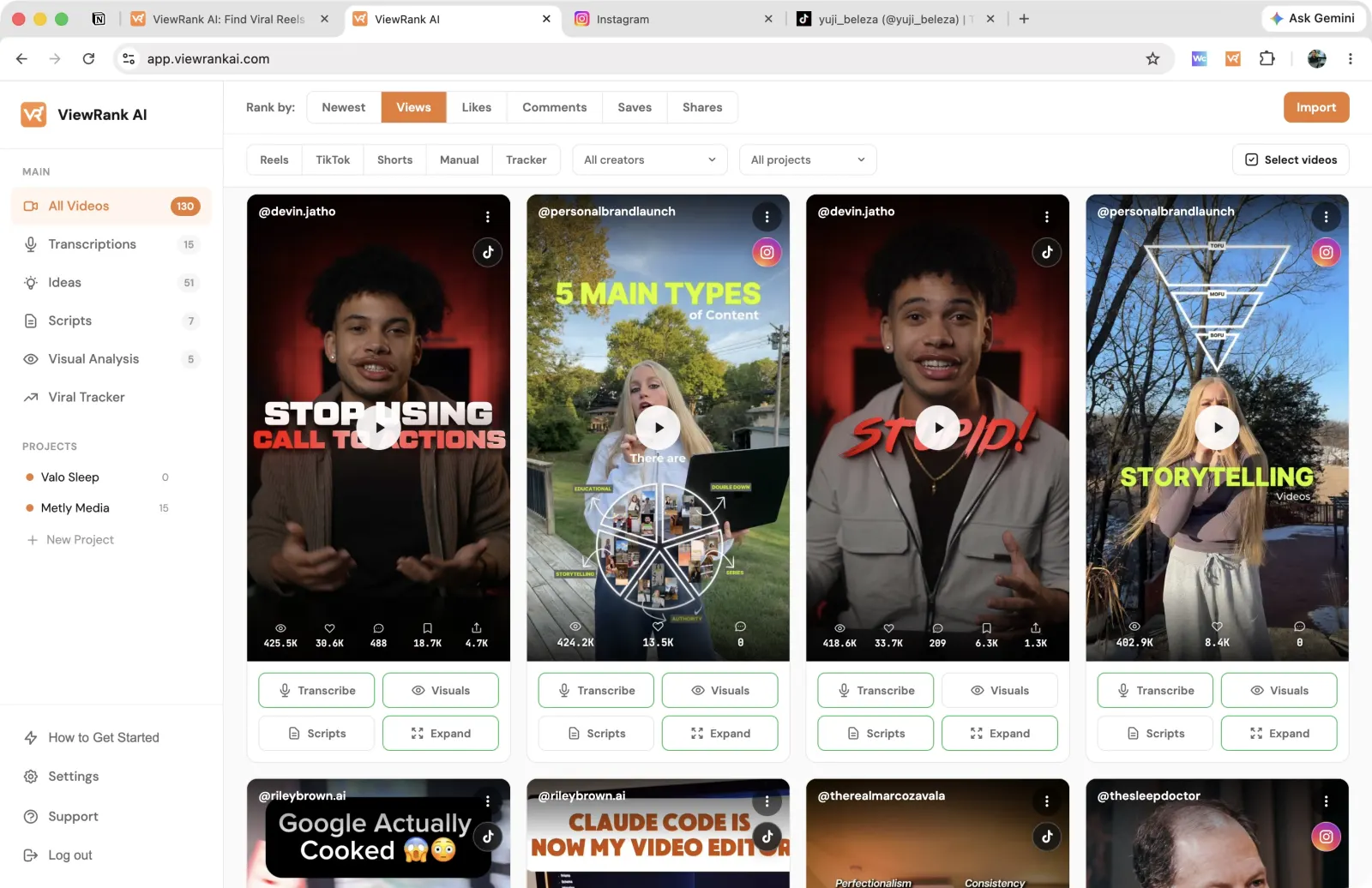
The ViewRank AI workspace with imported videos ready to transcribe and analyze
Screenshot coming The ViewRank AI workspace with imported videos ready to transcribe and analyze
Everything you saved from both platforms, in one place. Transcribe, analyze, or write a script straight from any card.
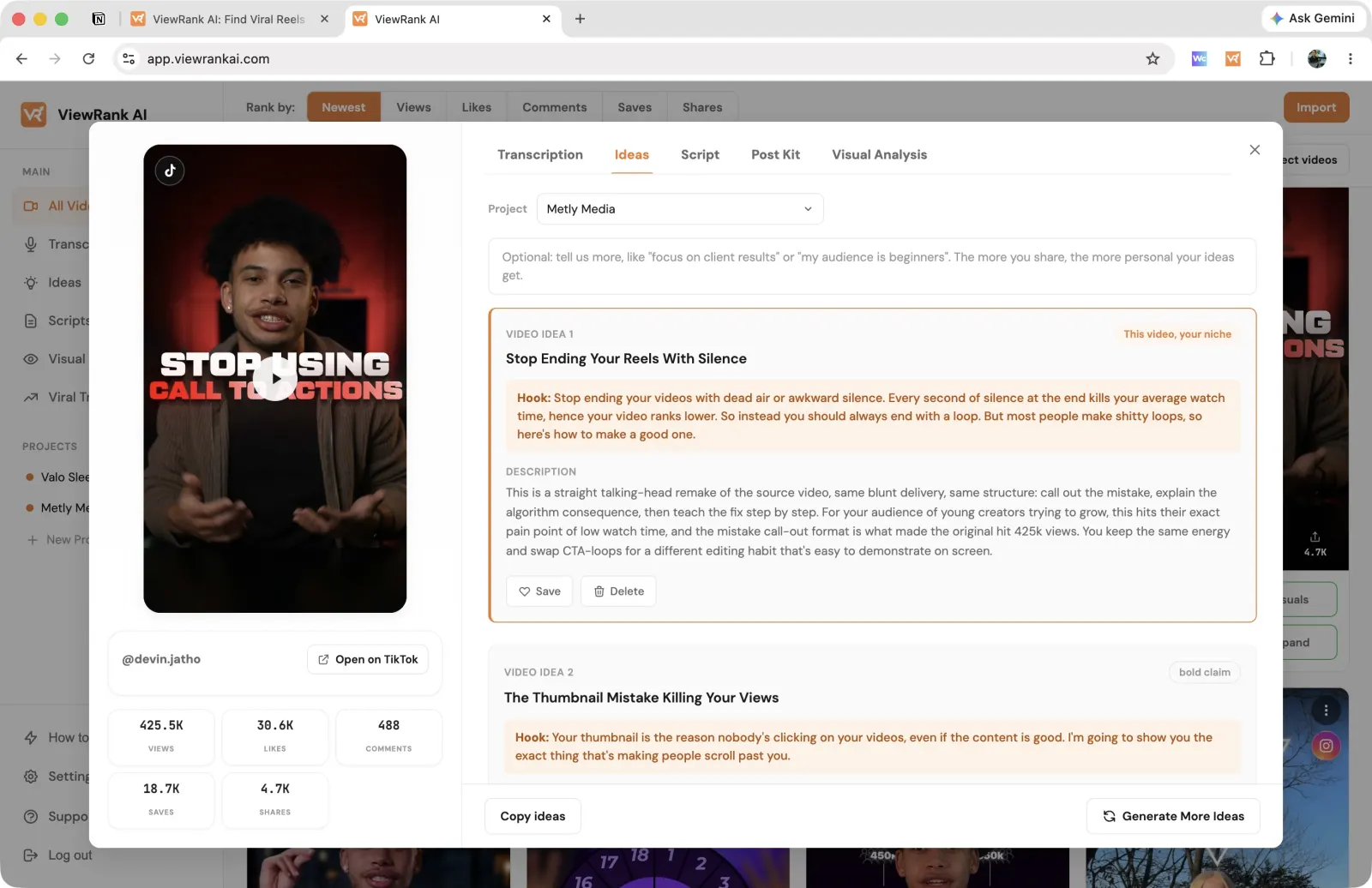
Video ideas generated from an imported video in ViewRank AI
Screenshot coming Video ideas generated from an imported video in ViewRank AI
Each idea comes with the hook written out and a short note on why it fits your channel. Save the ones you like and turn them into a full script.
Pricing

Try everything free for 7 days

Full access to everything from the first minute. Cancel anytime.

Starter

$12.99 / month $8.25 / month

Billed monthly. Cancel anytime. $99 once a year, so you save 36%

For solo creators who want to make content from proven video ideas.

  • Every month
  • Track up to 2 creators for outliers
  • Run 30 visual analyses
  • Transcribe 200 videos
  • Get 400 video ideas
  • Write 300 video scripts
  • Plus
  • Up to 3 projects
  • Free Chrome extension included
FAQ

Questions, answered

What exactly do I get with ViewRank AI?
Two tools that work together. The free Chrome extension sorts any Instagram or TikTok profile so you can see that creator's best videos straight away. ViewRank AI is the paid side, where you save those videos, follow creators with Viral Tracker, find out why a video did well, and get ideas and scripts for your own channel.
Do I still have to check competitor profiles myself?
Only if you want to. Add the creators you care about and ViewRank looks at their profiles every few days, learning what a normal video looks like for each one. When someone posts a video that gets at least twice their normal views, you will find it waiting in your account. Starter follows 2 creators and Pro follows 5.
Which platforms and content types are supported?
The extension works on Instagram Reels, Instagram posts, TikTok videos, and TikTok slideshows in Google Chrome. In the workspace, you can also import YouTube Shorts manually by URL or file upload.
How does visual analysis work?
ViewRank goes through the video scene by scene. For each part you see what was said, what was on screen, and a short explanation of why that part held attention, with the frames next to it so you can follow along.
Can I use it for client work?
Yes. Keep each client in their own project, export sorted numbers from the extension for reports, and get ideas and scripts written for each client's subject and audience.
What happens to my work if I cancel?
It stays in your account. Everything you create, including transcripts, analyses, ideas, and scripts, stays viewable even after your free trial ends or you cancel a subscription.
Your next winning idea
is already out there.

Find it, see why it worked, and make your own version of it.

Get started