Start a rank
- Open the profile's Reels tab:
instagram.com/username/reels. The extension checks this URL, so the main Posts grid won't work in Videos mode. - Click the ViewRank icon and keep Videos selected.
- Pick a recent count. 50 is quick; All can take a while on big accounts.
- Click Rank Now and let the page scroll itself.
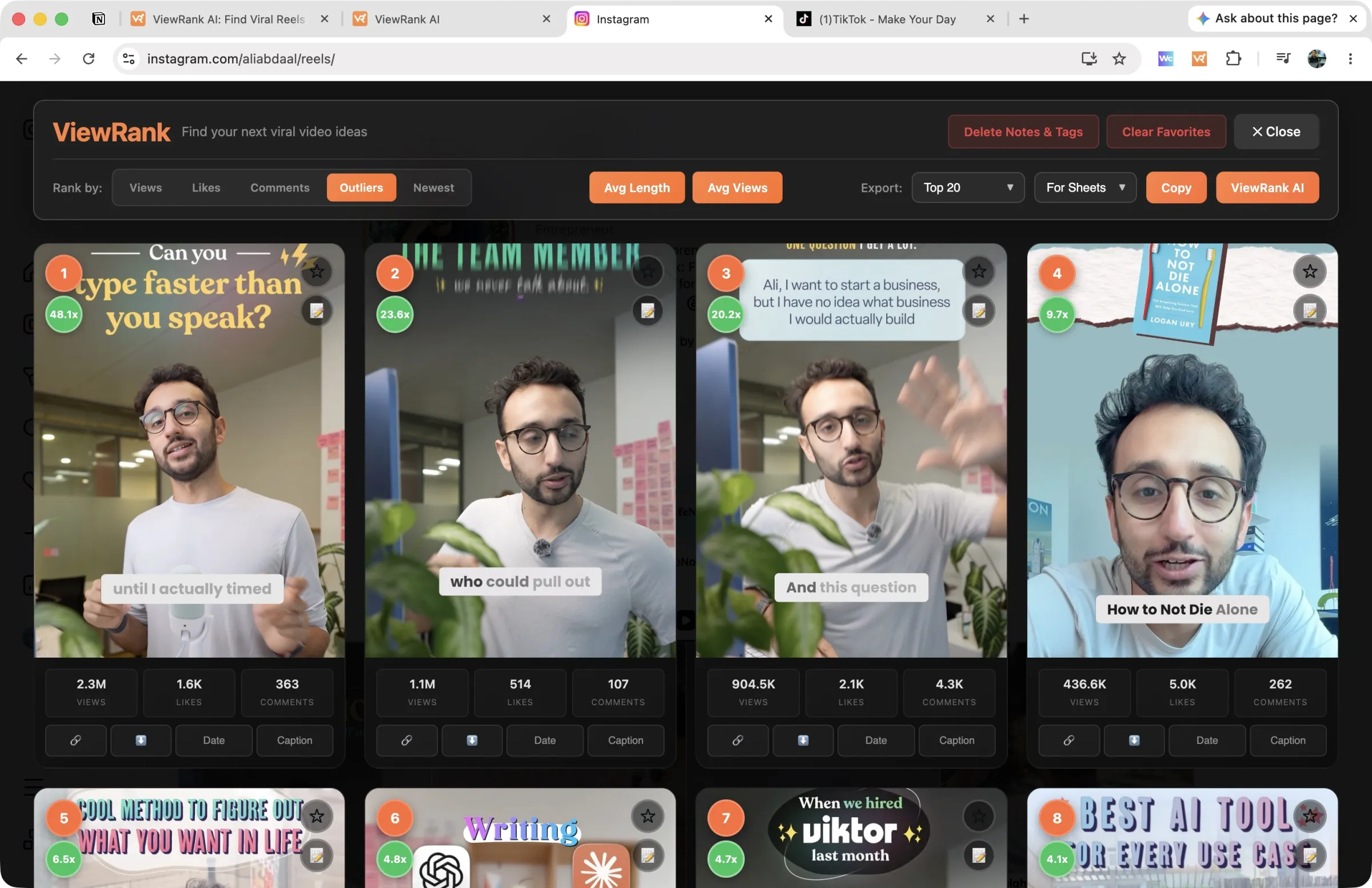
The overlay opens with every collected reel as a card: thumbnail, rank badge, views, likes, and comments.
Re-sort without collecting again
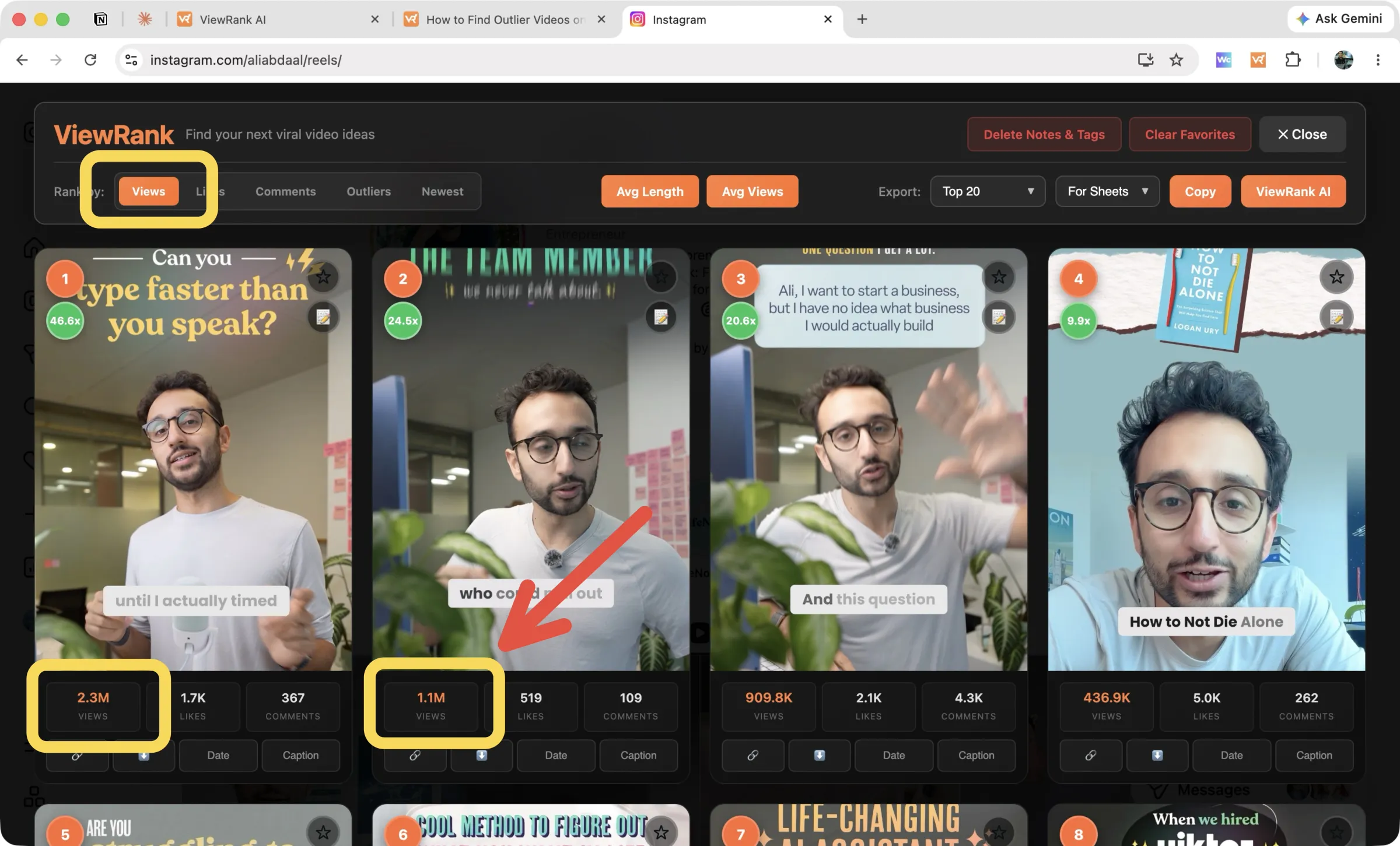
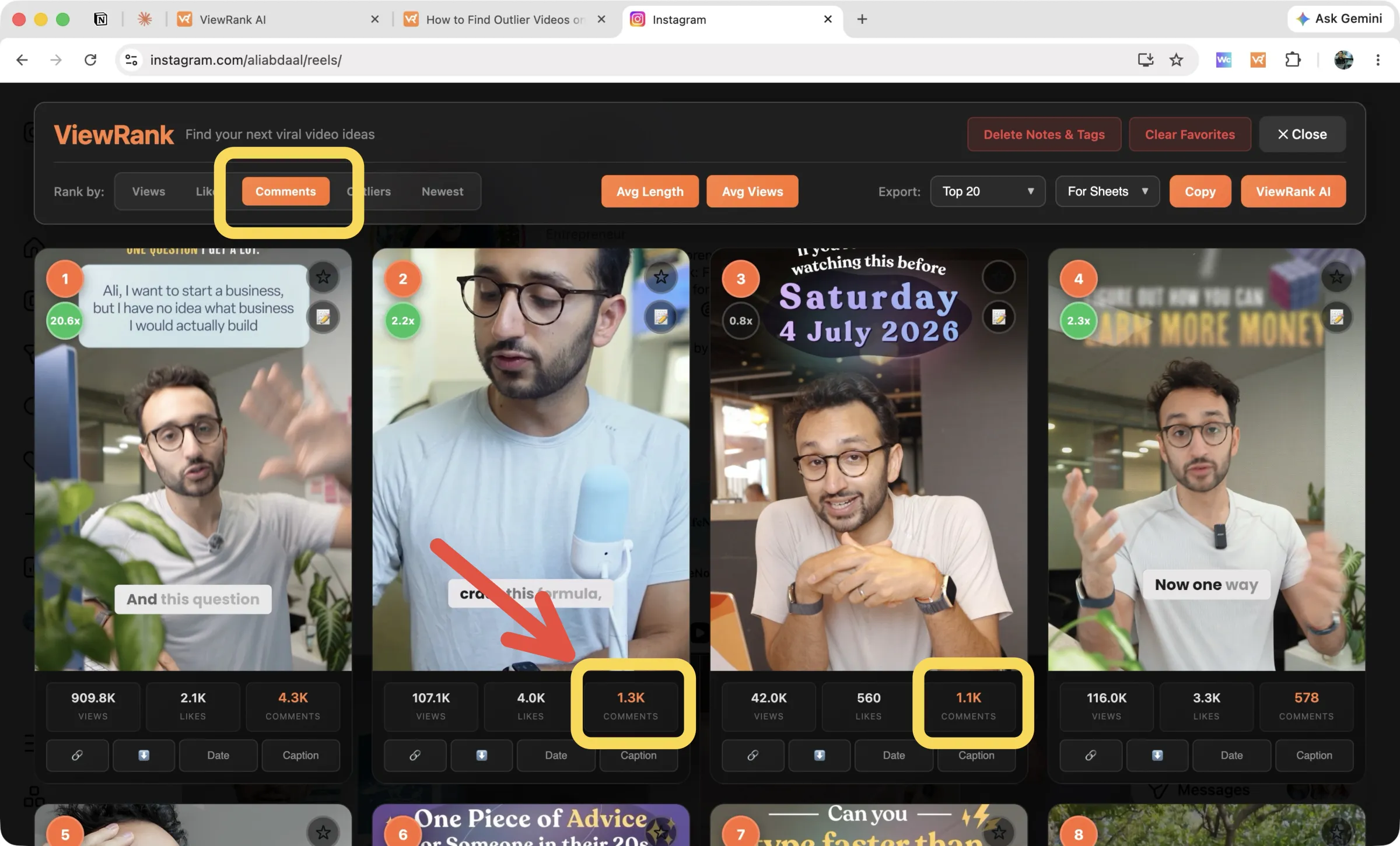
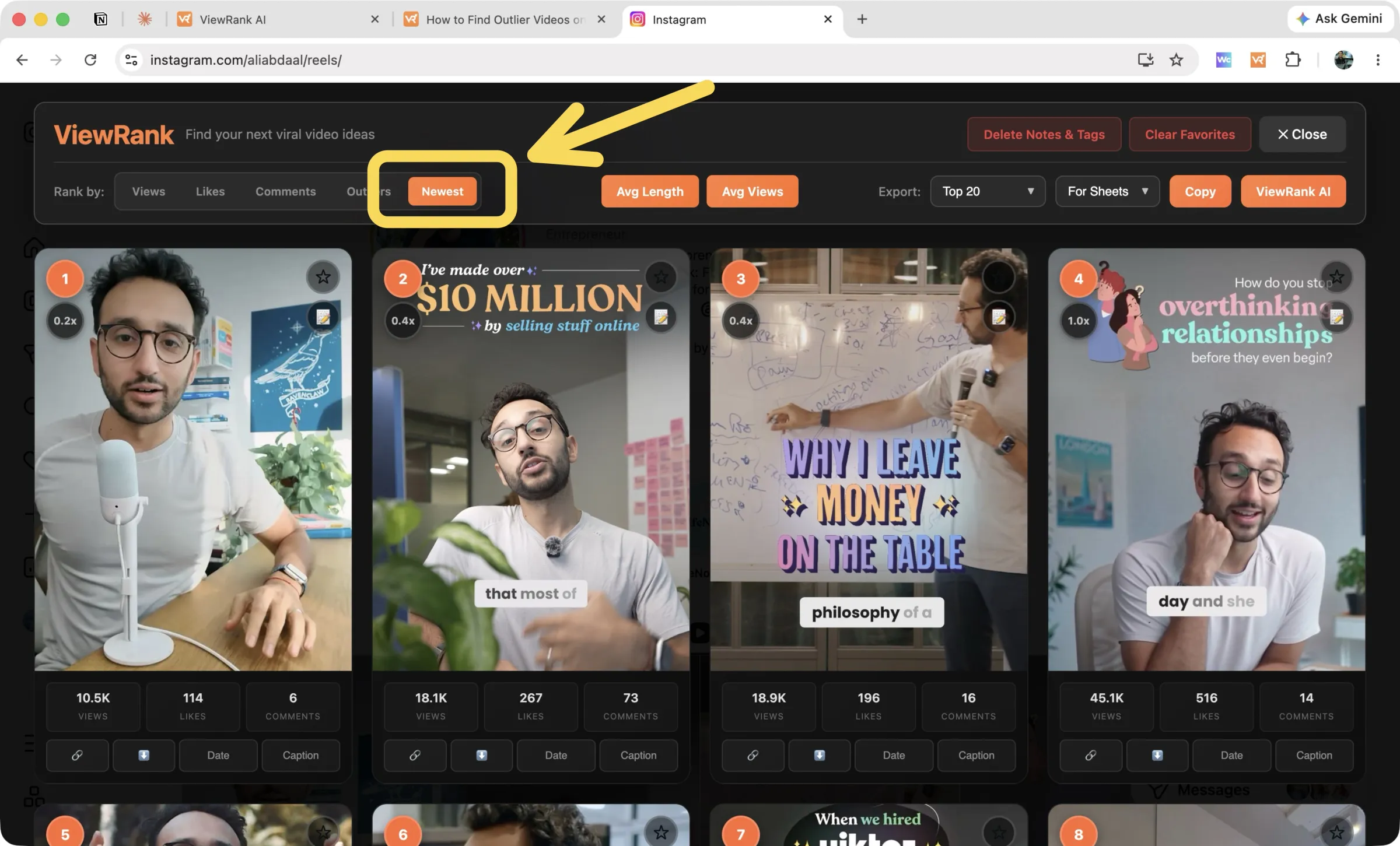
The tabs across the top of the overlay switch the ranking instantly: Views, Likes, Comments, Outliers, and Newest. The data is already collected, so switching costs nothing. The active metric turns orange on every card, so you can see what you are sorting by. Outliers get their own page: finding outliers.
The stats buttons
Two buttons in the overlay header work out what's normal for this creator, so you can judge any single video against it. They calculate on click rather than up front, so nothing loads until you ask:
- Avg Views looks at the 30 most recent reels and shows average, median, minimum, and maximum views.
- Average Length looks at the top 10 reels by views and shows average, median, shortest, and longest duration. Useful when you're deciding how long your own version should run. It fetches durations on demand, so give it a moment.
On each card
- Date Posted and Read Caption fetch on demand and stay cached, so you only load what you actually look at.
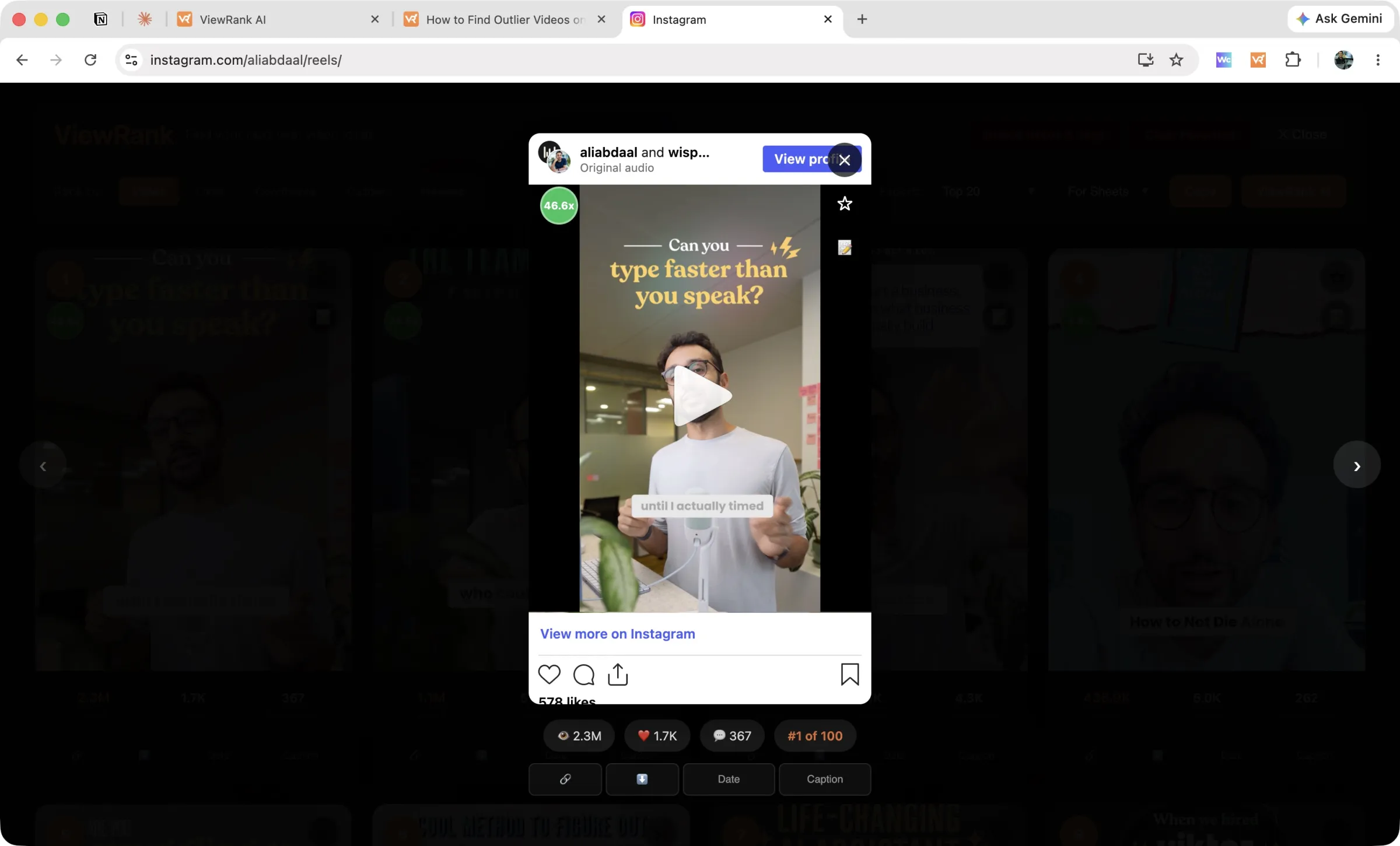
- Click a card to play the reel in the overlay. Arrow keys move between reels.
- Copy URL grabs the link for one reel.
- The star saves a favorite, and the note icon opens notes.
- You can download the video as an MP4.
Pinned reels
Creators pin their best-ever reels to the top of their profile, which would wreck a "what's working lately" ranking. ViewRank detects pinned reels, marks them with a pin badge, and leaves old pinned ones out of the ranking entirely.
FAQ
Why did the overlay come up empty?
Check the URL ends in /reels/ and stay on that tab while it collects. Private profiles you don't follow return nothing. If it still fails, hard-refresh the page and rank again.
How many reels can I collect?
Up to everything the profile has, with the All setting. Instagram loads them in pages, so All on an account with thousands of reels takes a few minutes.