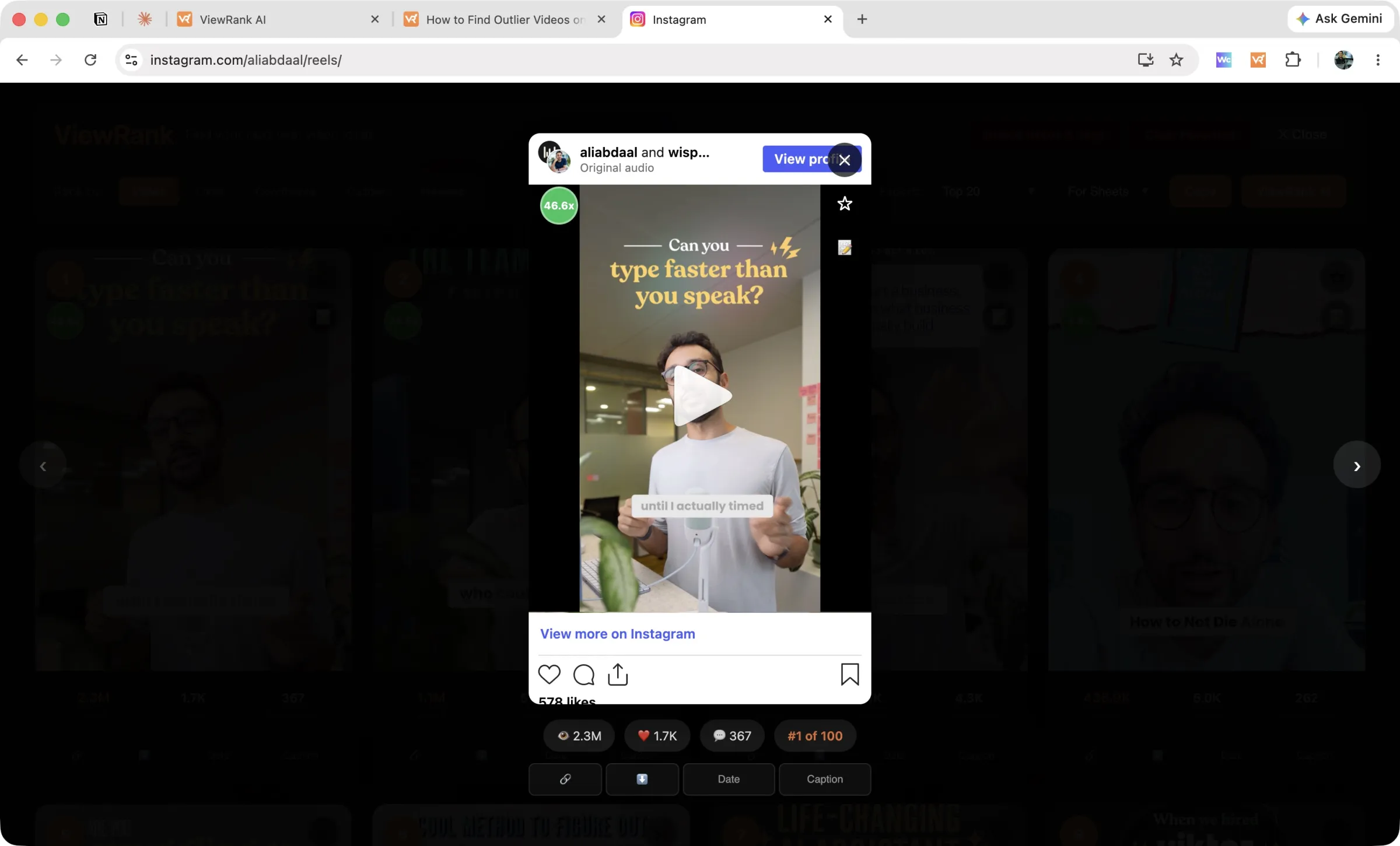
Instagram: download the video
In the Videos overlay, every reel card has a download action. Click it and a progress banner tracks the save, percent by percent. Files are named with the video's outlier score and its reel code, so a folder of downloads still tells you which ones were the breakouts.
Downloads use the direct MP4 when Instagram serves one; a rare reel format without one will fail with a message rather than silently.
TikTok: download the video or the audio
Open a TikTok in the overlay and the side panel gives you both. Download video saves the MP4. Download audio saves the sound on its own, which is what you want when you are studying a trending sound or matching your own edit to the same track.
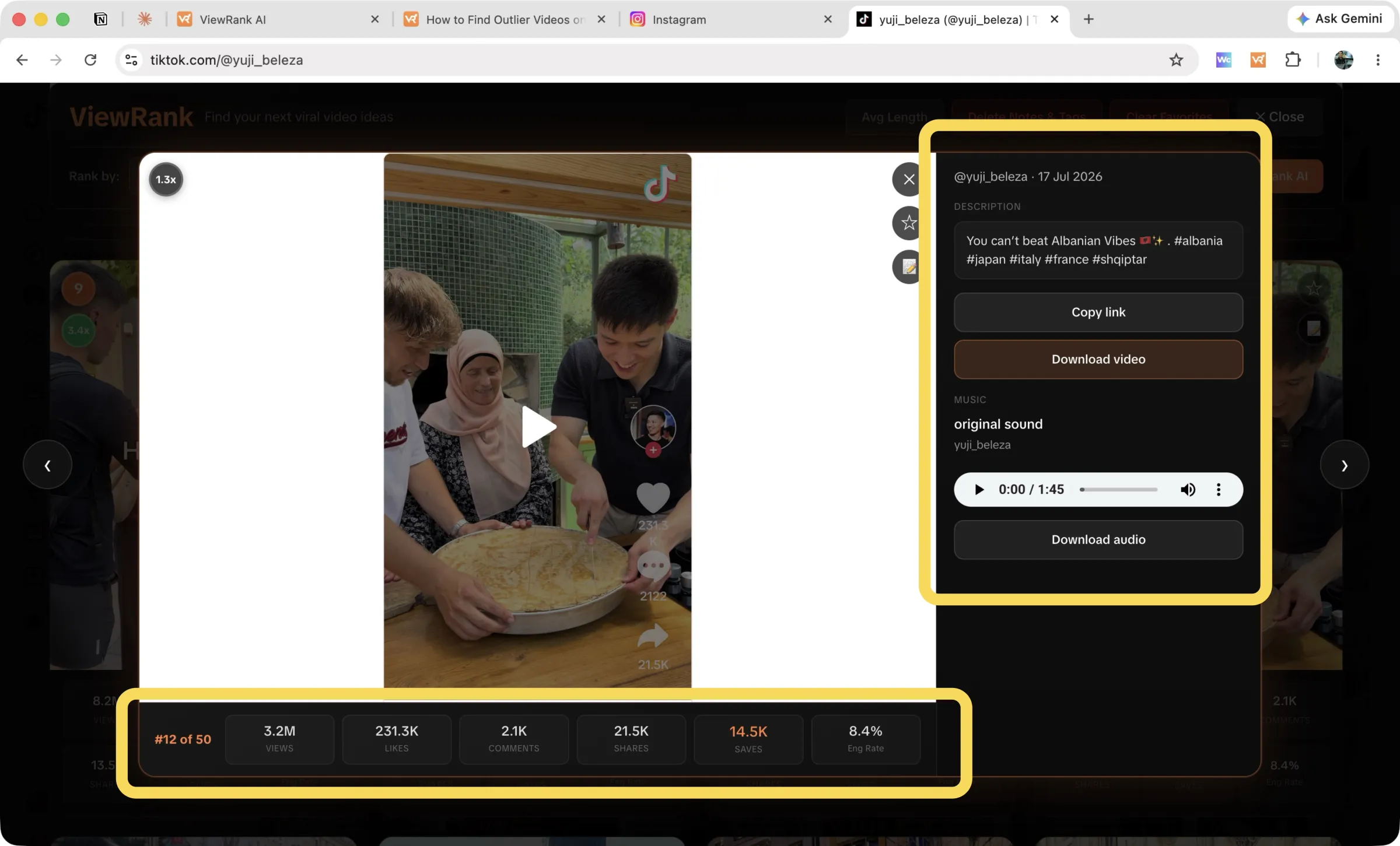
The first time you save an audio track, Chrome shows a permission prompt for downloads. That permission is optional and off by default; the extension asks only when you use the feature, and everything else works without it.
Posts mode
No downloads in Posts mode, on either platform.
Use what you save responsibly
Downloads are for research: studying pacing, hooks, and structure. Reposting someone's video as your own is a different thing entirely, and both platforms' terms (and the creator) take a dim view of it.
FAQ
Where do the files go?
Wherever Chrome puts downloads, usually your Downloads folder. Chrome's own settings control the location.
Can I download every video from a profile at once?
No, downloads are one video at a time by design. For bulk research, export the ranking instead and download only the few you'll study closely.