Favorites
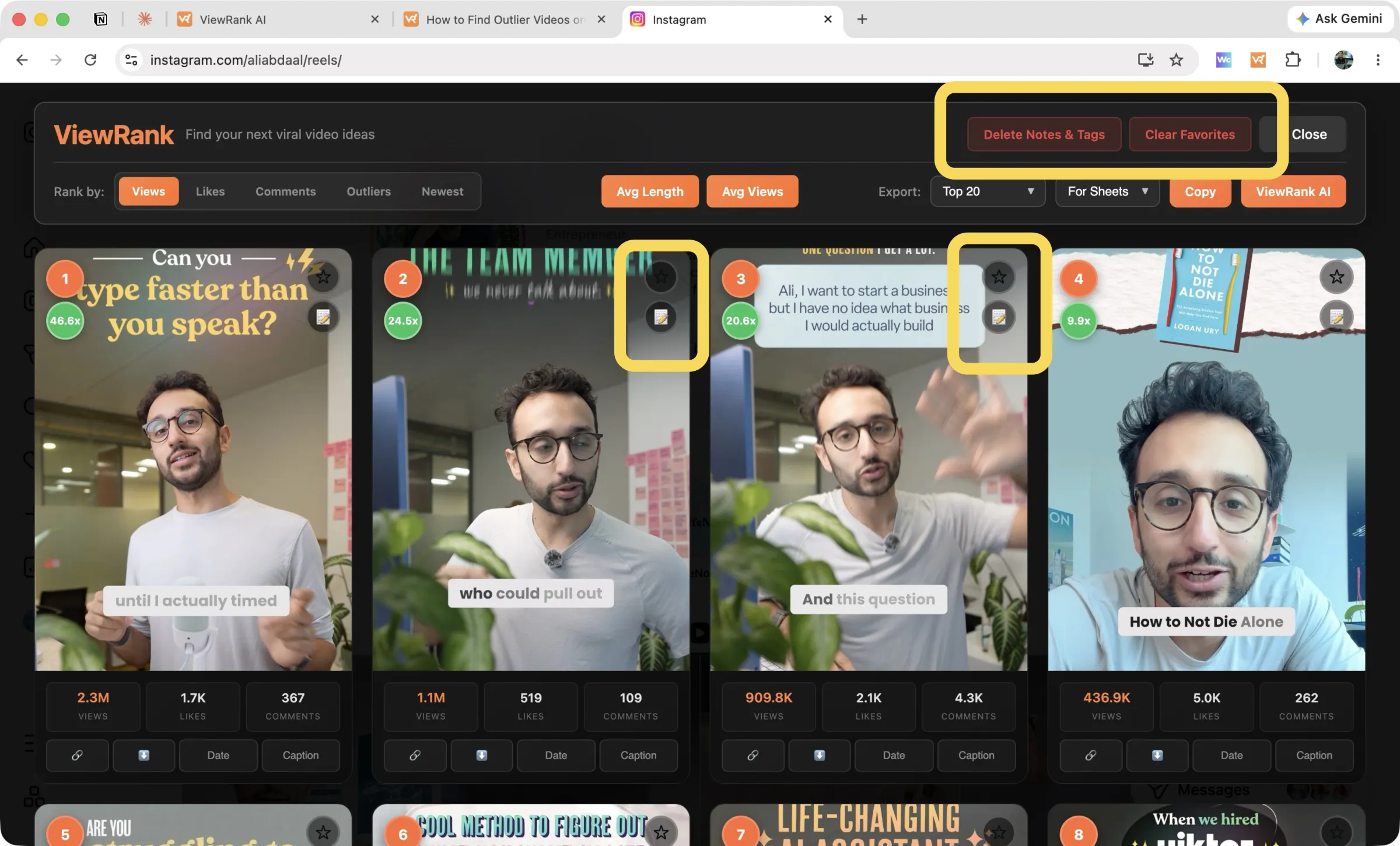
Click the star on any card, or in the detail view, to shortlist it. Favorites get their own export option, which turns a two-hour scroll session into a clean list of keepers. See exporting rankings.
Notes
Click the note icon on a card to write a note on that video: the hook you noticed, what you'd do differently. Notes persist between sessions, so when you rank the same profile next month, your annotations from this month are still on the videos.
Tags
Tags are how notes become searchable structure. While writing a note you can attach tags, and ViewRank suggests ones you've used before, so "talking-head" doesn't drift into "talking head" and split your system in two. Tag by format, by topic, by hook style, whatever dimension you're studying. Tags come along in exports, which means you can filter a spreadsheet by them.
Where all this lives
Everything on this page is stored in your browser, per profile:
- Favorites, notes, and tags never leave your machine. They're not synced to any server, including ours.
- Videos mode and Posts mode keep separate stores. A star on a creator's reel doesn't appear on their carousels.
- Each profile has its own Delete Notes & Tags action, so you can clear out one account's research without touching the rest.
One consequence worth knowing: clearing your browser's site data for Instagram or TikTok deletes them. Export anything you'd hate to lose.
FAQ
Do favorites sync between my laptop and desktop?
No. They live in each browser's local storage. Exports are the way to move research between machines.
Is there a limit on notes or tags?
No practical one. Tag hundreds of videos across as many profiles as you like.