What the workspace is
The free extension shows you which videos win. The ViewRank AI workspace at app.viewrankai.com tells you why, then helps you make your own version: transcripts, scene-by-scene visual breakdowns, fresh ideas for your niche, ready-to-record scripts, and the caption and hashtags to post with.
Every plan starts with a 7-day free trial, and you can cancel anytime.
Set up your account
- Choose Starter or Pro at viewrankai.com. See plans and limits for what each includes.
- Create your account. We ask for a card to start, nothing is charged for 7 days, and you can cancel anytime.
- Follow the getting started guide that opens on first login. It walks you through connecting the extension and importing your first video.
The sidebar, tab by tab
| Tab | What lives there |
|---|---|
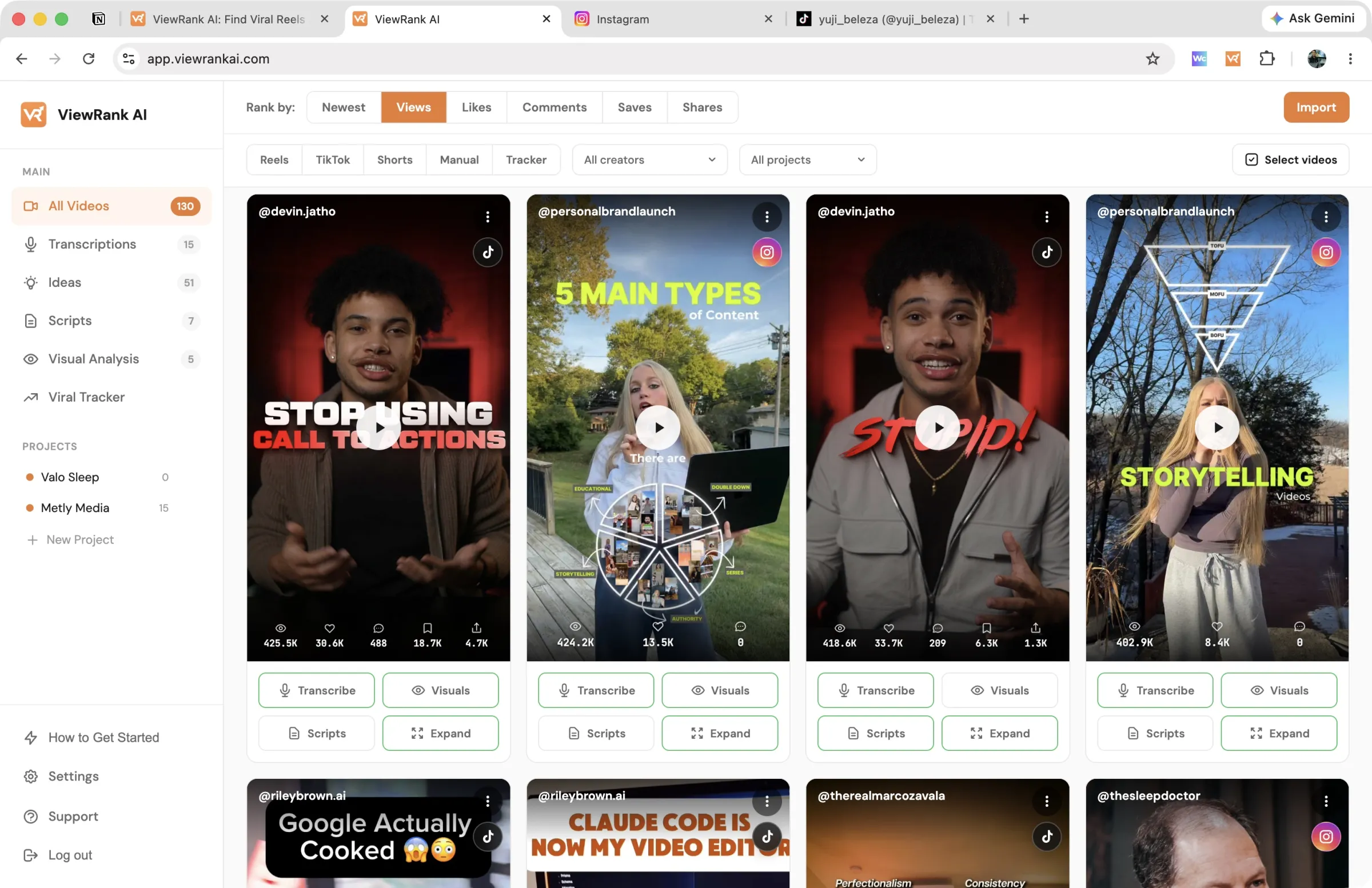
| All Videos | Every video you've imported, filterable by platform |
| Transcriptions | Videos you've transcribed |
| Ideas | Video concepts you've saved |
| Scripts | Full scripts you've written |
| Visual Analysis | Scene-by-scene breakdowns |
| Viral Tracker | Competitors you're watching for outlier videos |
| Projects | The accounts or niches you create content for |
Above the video grid you can rank your imports by newest, views, likes, comments, saves, or shares, and filter by platform: Reels, TikTok, Shorts, or Manual uploads. Saves and shares only fill in for TikTok, since Instagram and YouTube keep those numbers private.
The panel at the bottom of every tool tab
Transcriptions, Visual Analysis, Ideas, and Scripts each have their own panel floating at the bottom of the page. That panel is where the work starts, and it means you never have to import a video first: paste a link, upload a file, or type a topic, and the result lands on the page above.
Each panel holds slightly different controls, because each tool needs different things from you:
| Tab | What the panel gives you | The button |
|---|---|---|
| Transcriptions | Two tabs: Upload File for a file on your computer, Paste Link for a public video link | Transcribe |
| Visual Analysis | One box for a public video link | Analyze |
| Ideas | A box for your topic, and a Project picker in the bar underneath it | Get ideas |
| Scripts | A box for your topic, and Project, Idea, and Length pickers in the bar underneath it | Write |
On Ideas and Scripts, the pickers sit in the same bar as the character count and the button, so everything you set for one run is on one line under the box.
In the top right corner of every panel there is a How it works button. Click it and you get a short explanation of that tab: what each control changes, what the tool needs from you, and a link to the full guide. It is the fastest way to answer "what do I put here?" without leaving the page.
Two of the panels ask you to choose a Project, and it is worth doing. See projects for what a project carries and why it changes the result so much.
Two steps to your first script
First, bring in videos that already perform. The fastest way is the extension: rank a profile, pick the winners, send them over. See connecting the extension. No extension handy? Paste a link or upload a file instead.
Then open any imported video and work through the tabs: transcribe it, get ideas from it, turn an idea into a script, and grab a post kit when the script is done.
Want to know why those videos worked?
ViewRank AI transcribes winning videos, breaks down their visuals scene by scene, and turns the patterns into fresh ideas and scripts for your own niche. Free for 7 days. Cancel anytime.
Start your free trial