How to Find the Most Viewed Reels on Any Instagram Account (4 Ways)
Instagram removed its most viewed sort and keeps profiles in date order. Here are four ways to find and sort any public account's top Reels by views, from the free manual method to a one-click ranking.
Instagram has no built-in way to sort a profile by views. The "most viewed" filter the platform tested for Reels was removed, Insights only cover accounts you own, and the Reels tab stays in date order no matter how far you scroll. To see any public account's most viewed Reels you have to reorder the grid yourself, either by hand or with a browser extension that reads the view counts already printed on each thumbnail.
Four methods below, from slowest to fastest. All of them work on public accounts only, and none of them need the creator's permission, because the numbers are already published on the page.
Can you sort Instagram Reels by views inside the app?
No. There is no sort control on a profile's Reels tab, and there hasn't been a working one for some time.
Instagram tested a "most viewed" option and pulled it. Professional accounts get Insights, but those cover your own content only, so they're useless for research on anyone else. How to see someone else's Instagram analytics covers what is public and how to read it. The third-party "Instagram analytics" dashboards mostly cover accounts you've connected, which is the same restriction wearing a different interface.
What Instagram does give you is the raw material. Every Reel on a public profile displays its view count on the thumbnail. The data is public. It's the sorting that's missing, and every method below is a different way of supplying it.
One limitation worth knowing before you start. View counts appear on Reels and videos, not on photo posts or carousels, so "most viewed" is a question you can only ask about a profile's video content. For photos and carousels, rank by likes instead, as shown in how to see the most liked posts on any Instagram account.
Method 1: scroll the Reels tab and read the thumbnails
Open instagram.com/username/reels and scroll, watching for view counts that stand out from the ones around them. It's free, it takes no setup, and it's the method almost everyone starts with.
It's also the least reliable, for a reason worth understanding rather than just accepting. Your eye anchors on big absolute numbers, and big absolute numbers mostly tell you how large the account is. On a creator averaging 400,000 views, a 900,000-view Reel looks like a find and is barely above their normal. On a creator averaging 3,000, a 45,000-view Reel is a 15x breakout that you will scroll straight past because 45,000 doesn't look like much.
Use this method to get a rough feel for an account in 60 seconds. Don't use it to build a content plan.
Method 2: build the ranking in Google Sheets
This gives you real numbers, and it costs about an hour per profile.
- Open the profile's Reels tab and start at the top.
- In a sheet, record each Reel's view count in one column and its link in another.
- Keep going until you have at least 50 videos. Fewer than that and the arithmetic in step 5 won't mean much.
- Sort by the view count column to get the most viewed Reels.
- Add a column dividing each Reel's views by the median of the set, using
=B2/MEDIAN($B$2:$B$51), and sort by that instead.
Step 5 is the one that matters. Sorting by raw views tells you what the account posted after it got popular. Dividing by the median tells you which videos overperformed relative to their moment, which is a different and more useful list. Use the median rather than the average, because the average is dragged upward by the exact videos you're looking for. Longer explanation in how to find outlier videos on Instagram.
The method works. The problem is that real research means ten or fifteen profiles refreshed weekly, and nobody sustains that by hand. Most people quit inside a month, not because the numbers are wrong but because typing them is tedious.
Method 3: sort Instagram Reels by views with the free ViewRank extension
The ViewRank Chrome extension does the spreadsheet method on the page, in a few seconds, with no cap on how many Reels it will scan.
- Install the extension and open any public profile's Reels tab at
instagram.com/username/reels. - Click the ViewRank icon in your Chrome toolbar and keep the mode on Videos.
- Under Recent, choose a scan depth. The options run 50, 100, 200, 300, 500 and All. For an account you don't know, 100 to 200 gives a fair baseline without a long crawl.
- Press Rank Now and let the page scroll itself.
The overlay opens over the profile with every collected Reel as a card, sorted by Views by default. That's your most viewed list. Along the top sits the Rank by row, with tabs for Views, Likes, Comments, Outliers and Newest, and switching between them is instant because the data is already collected.
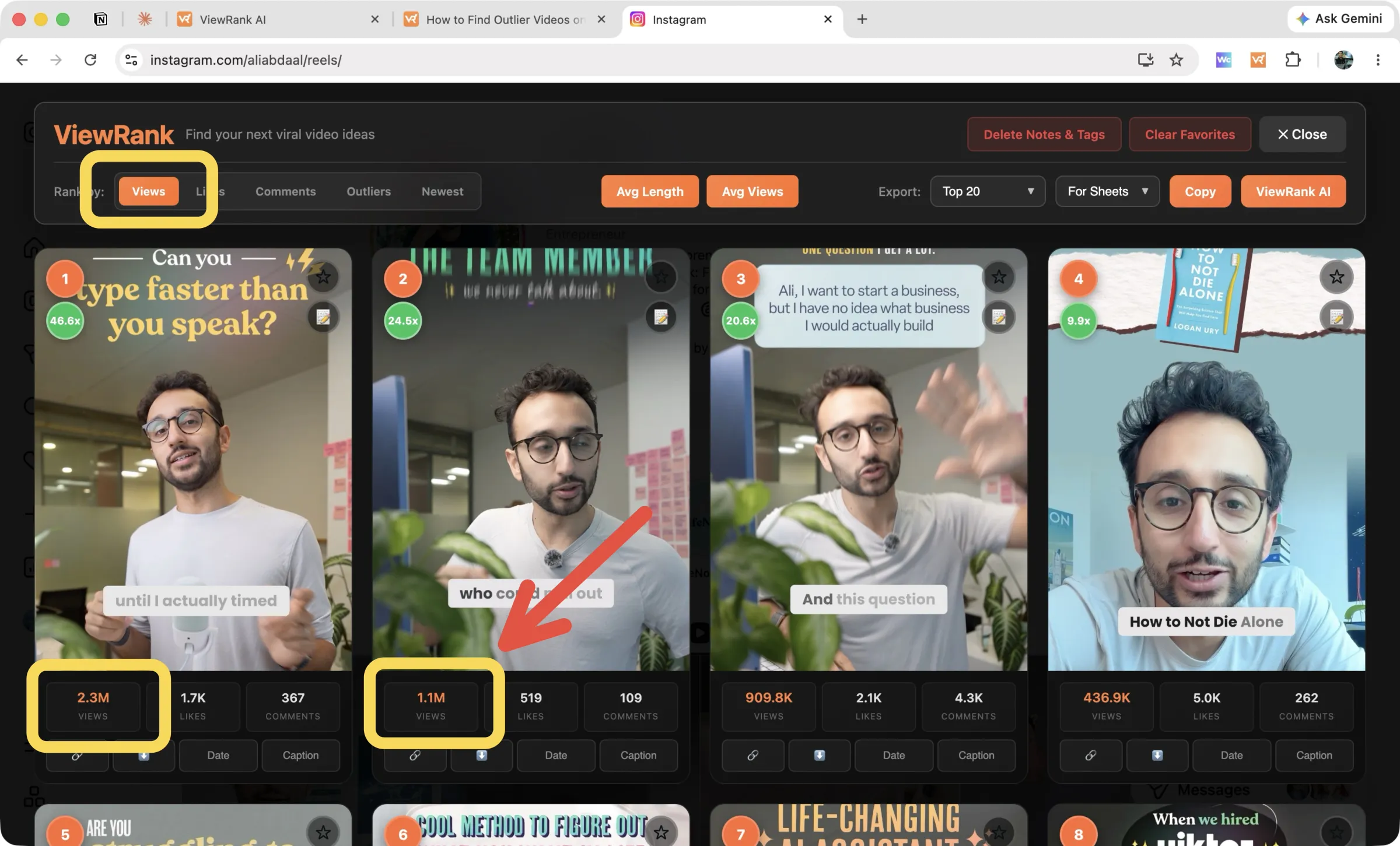
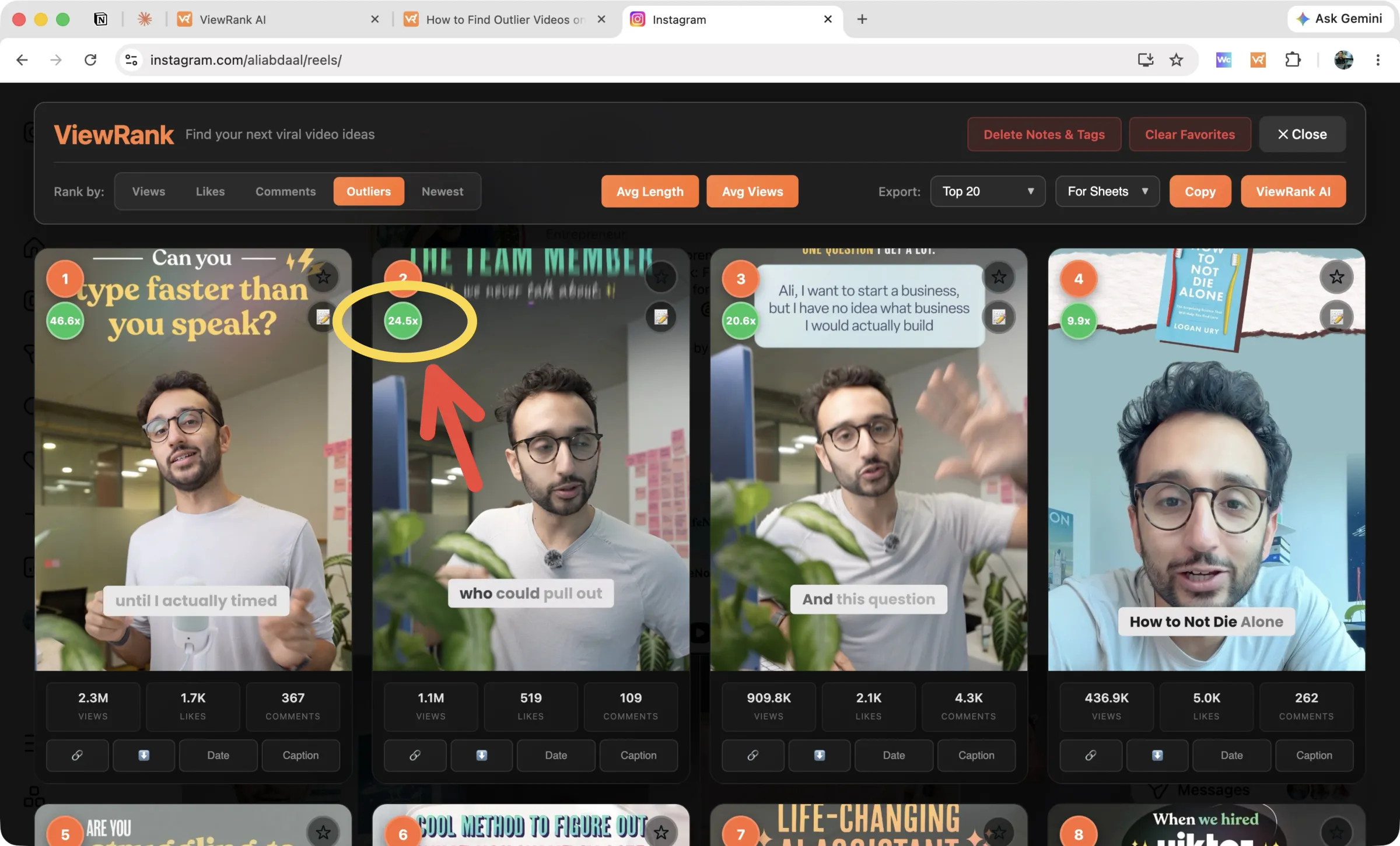
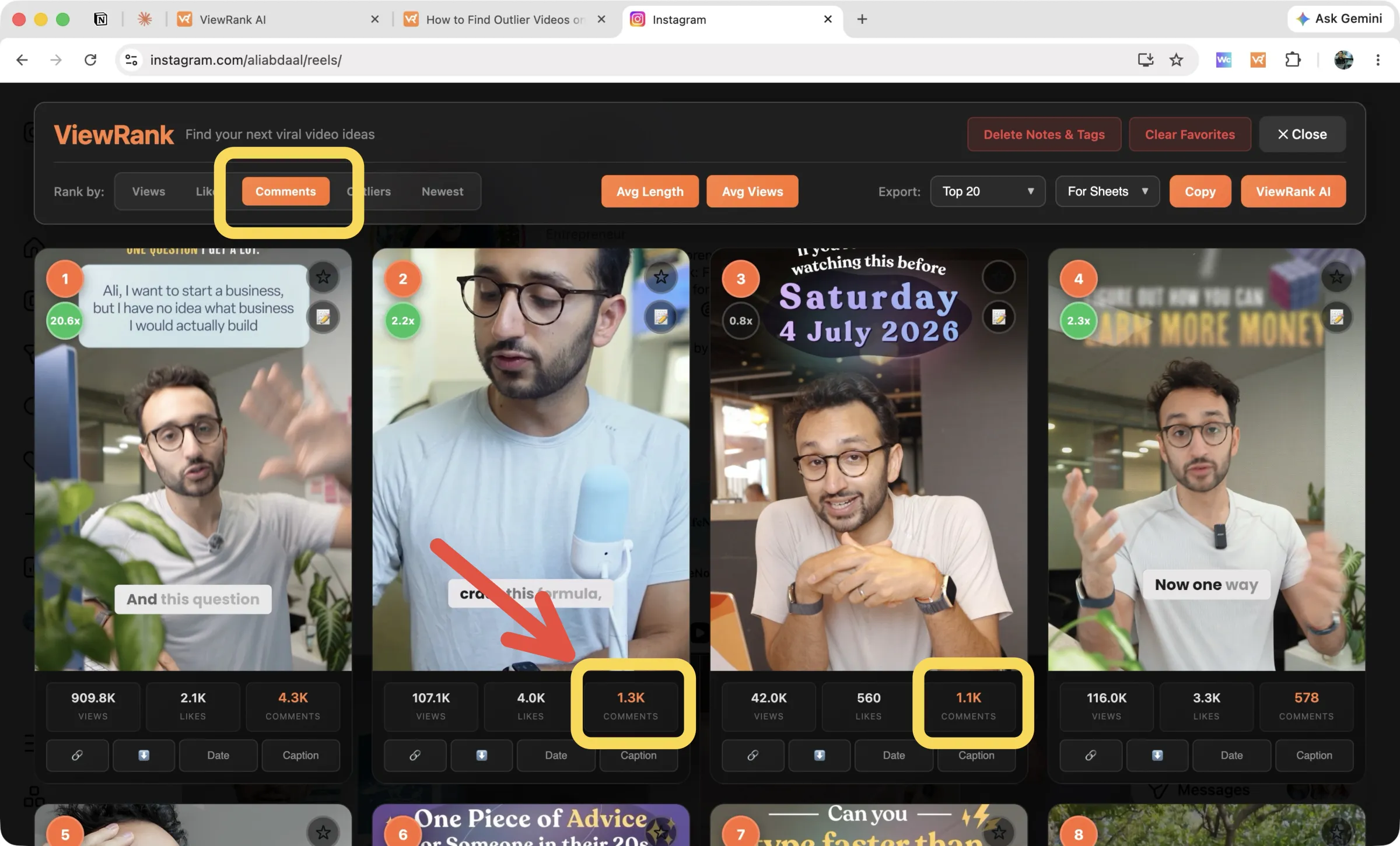
Two details make the ranking more honest than a plain sort. Old pinned Reels are detected, badged, and left out of the ranking, so a creator's pinned all-time best can't distort the numbers. And the Avg Views button prints the account's average, median, minimum and maximum across their recent 30 Reels, which tells you what normal looks like before you judge any single video.
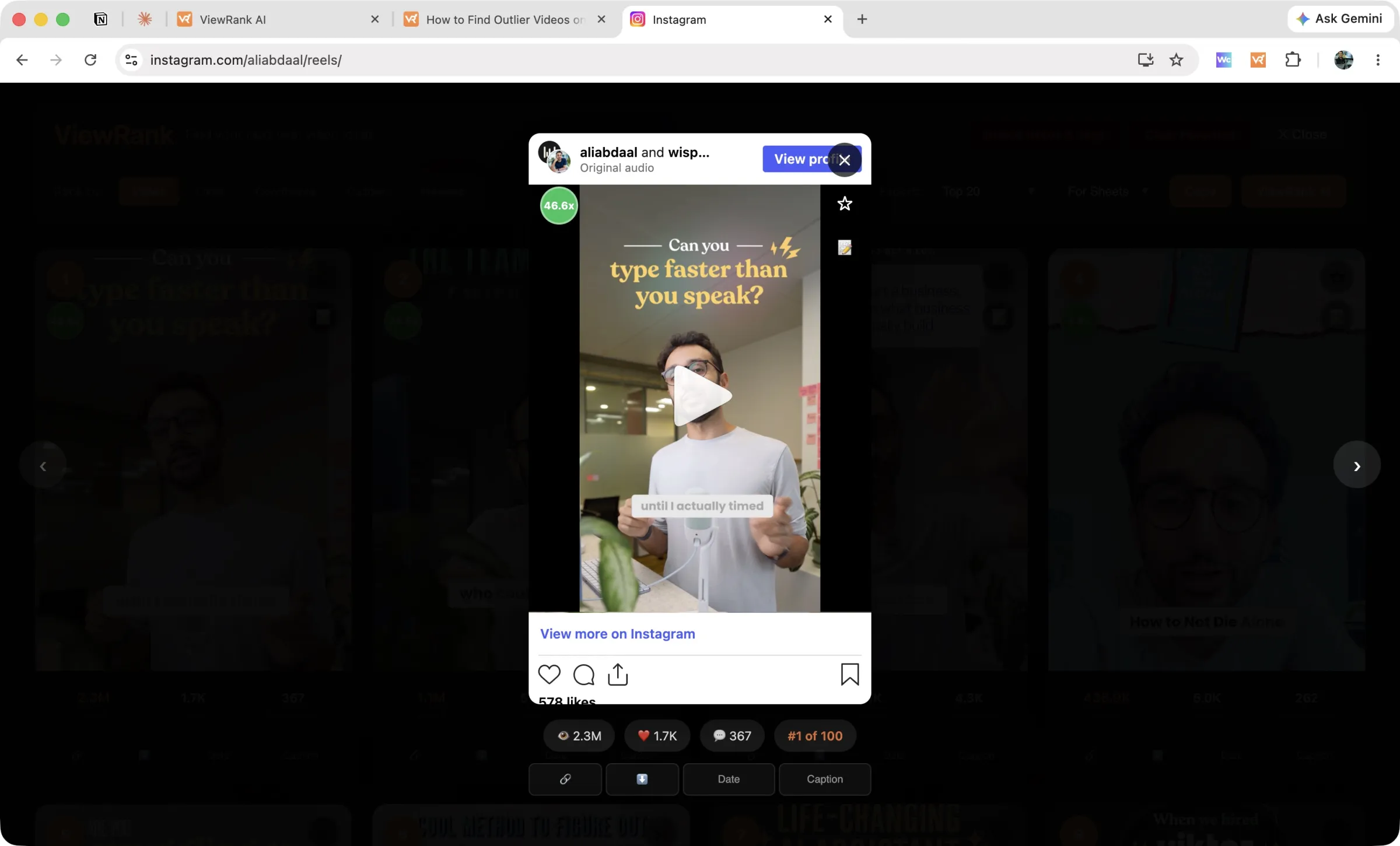
Each card carries views, likes and comments under the thumbnail, plus small controls for the link, an MP4 download, the Date posted and the Caption, both fetched on demand. For the exact time a Reel went up, see how to see when an Instagram Reel was posted. Click any card to play the Reel inside the overlay, with arrow keys moving between them.
Sort any Instagram or TikTok profile in one click
The free ViewRank Chrome extension ranks any profile's videos by views, likes, comments, or outlier score, right on the page.
Add ViewRank to Chrome, it's freeGetting the list out of the browser
On the right of the overlay sits the Export row. The first dropdown sets the scope, with Top 10, Top 20, Top 50, Top 200, your Favorites, or Only Outliers, which keeps every Reel at 2.0x and above. The second sets the shape, either For Sheets or As List. Press Copy and paste into Google Sheets.
That's method 2's output without method 2's hour. More in exporting rankings.
Method 4: have the most viewed Reels found for you
Ranking a profile is still something you have to remember to do. The Viral Tracker inside ViewRank AI removes that step.
Add a creator once, by handle or profile link, and pick Instagram as the platform. ViewRank measures that account's baseline from their recent videos and re-checks every few days. When a new Reel crosses 2x their average, it lands in your Videos that went viral feed with the score attached, a "New" pill, and its views, likes and comments. Reels younger than 48 hours are held back until the numbers settle, so a fresh post doesn't get called a hit before it's finished.
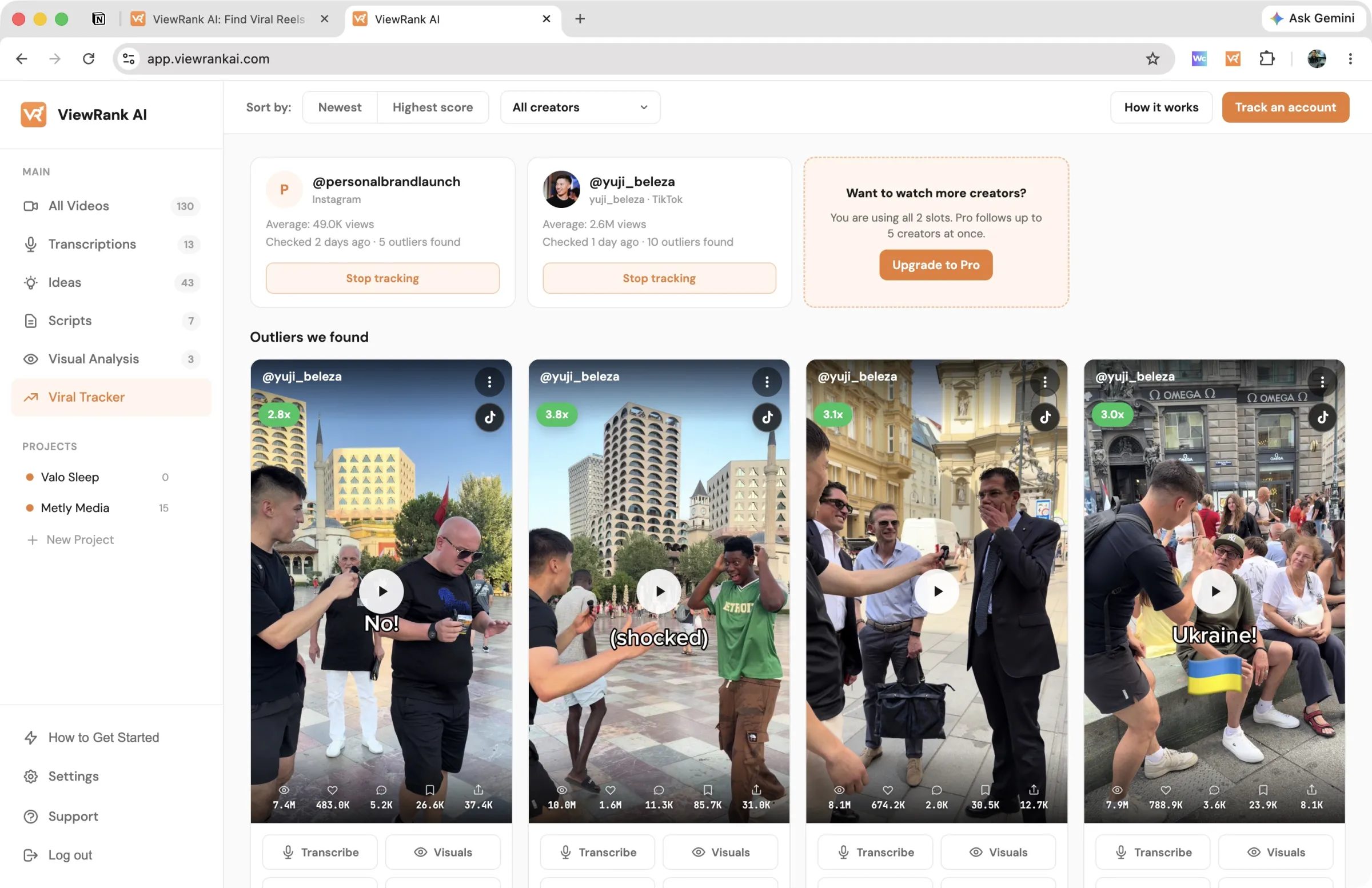
Sort that feed by newest or highest score, filter it to one creator, and hide anything irrelevant. Each card carries Transcribe, Visuals and Scripts buttons, so a Reel can go from "the tracker noticed this" to a draft script without you opening Instagram. Tracking runs on the paid plans with a 7-day free trial. Setup is documented on the tracked accounts page, and the routine it replaces, along with why checking by hand fails, is in how to track Instagram and TikTok creators.
Which method should you use?
| Method | Setup | Time per profile | Gives you outlier scores |
|---|---|---|---|
| Scroll and read thumbnails | None | 1 minute | No |
| Google Sheets by hand | None | About an hour | Yes, if you add the formula |
| ViewRank extension | Install once | Under a minute | Yes, automatically |
| Viral Tracker | Add the creator once | None, it runs itself | Yes, continuously |
For a single profile you're curious about, scroll it. For a competitor list you'll come back to every week, the manual method will not survive, and that's not a discipline problem. It's an hour multiplied by fifteen accounts.
The same four methods work on TikTok, where shares and saves are public too. That version is how to find the most viewed videos on any TikTok account.
What to do with the list once you have it
The most viewed list is the start, and on its own it's the least interesting version of the question. Reels sorted by raw views describe the account's size. Reels sorted by outlier score describe which ideas worked. Switch to the Outliers tab before you draw any conclusions, and read how to find outlier videos on Instagram if the multiplier needs explaining.
From there, pull the transcript of the top few. Our free Instagram reel transcript generator returns the spoken lines from any public Reel without an account, and reading a hook as text is a much better test of it than watching a confident person deliver it. How to transcribe an Instagram Reel for free covers the details, including why a Reel takes a minute.
Then check whether the same format shows up on other accounts in the niche. One creator with a hit had a good week. Several creators with the same structure is a pattern you can build a month of content on, which is what Instagram competitor analysis walks through. For the niche-wide version, where you rank ten accounts and look for the format they share, see how to find viral Reels in your niche.
Want to know why those videos worked?
ViewRank AI transcribes winning videos, breaks down their visuals scene by scene, and turns the patterns into fresh ideas and scripts for your own niche. Free for 7 days. Cancel anytime.
Start your free trialFAQ
Can you see the most viewed Reels on someone else's Instagram account?
Yes, if the account is public. View counts are displayed on every Reel thumbnail, so the information is already visible. What Instagram doesn't provide is a way to sort by it, which is why the profile has to be reordered manually or with a browser extension.
Did Instagram remove the most viewed filter for Reels?
Instagram tested a "most viewed" sort on Reels tabs and it is no longer available. Profiles display Reels in date order, with pinned Reels at the top.
How do you find the most viewed Reels without a tool?
Open the profile's Reels tab, record each view count and link in a spreadsheet, and sort by views. Collect at least 50 Reels so the numbers mean something. Add a column dividing views by the median to see which Reels overperformed rather than which are simply recent.
Is there a free way to sort Instagram Reels by views?
Yes. The ViewRank Chrome extension sorts any public profile by views, likes, comments or outlier score, with no cap on the number of Reels scanned and no account required. Sorting, the account stats, favorites, notes and exports are all free.
Why can't I see view counts on Instagram photo posts?
Instagram publishes view counts on Reels and videos only. Photo posts and carousels show likes and comments, so a profile's photo content can be ranked by those, but not by views.
How many Reels should you scan on an unfamiliar account?
100 to 200. That's deep enough for the baseline calculation to be stable and shallow enough to finish quickly. Accounts with thousands of Reels can be scanned in full with the All setting, though Instagram loads them in pages and it takes a few minutes.