How to Do Competitor Research on Instagram and TikTok (Step by Step)
A practical competitor research process for short-form video: build an account list, find each account's baseline, surface their outliers, and turn the patterns into your content calendar.
Competitor research on Instagram and TikTok is four moves. Pick 5 to 10 accounts in and around your niche. Learn what a normal video looks like for each one. Find the videos that beat that normal by a wide margin. Reverse engineer why. Everything involved is public data; the view counts are on the thumbnails, and the platforms simply refuse to organize them for you.
The first pass takes about an hour. After that, twenty minutes a week keeps it alive, which is roughly the length of one doomscroll you were going to have anyway.
Step 1: Build the account list
Most people study only their direct competitors, which is a mistake, since direct competitors are mostly guessing too. Build three layers instead:
- Direct competitors, 3 or 4 accounts. Same niche, similar audience, similar size. They show what your shared audience already responds to.
- Aspirational accounts, 2 or 3. Same niche, much bigger. Their history shows which formats scaled, and they've already made the mistakes you're about to make.
- Adjacent niches, 2 or 3. Different topic, same audience psychology. A fitness creator can lift storytelling formats from a finance creator all day and neither audience will ever notice. Doing that on purpose is the outlier transfer method.
Finding them takes minutes. Search your main keywords on both platforms, note who keeps showing up, then check who the algorithm suggests next to them. The list improves as you go; don't polish it now.
Step 2: Learn what "normal" looks like for each account
Skip this step and the rest collapses, because a video is only impressive relative to its account's baseline. 100K views is a great week for one account and a slump for another, and if you don't know which, every number you look at is noise.
Per account, you want typical views (use the median, one viral hit distorts an average), posting frequency, and typical video length.
By hand that's a scroll-and-tally session per profile. With the free ViewRank extension, you open the profile, scan the last 100 or 200 videos, and read the stats strip: average views, median views, and on TikTok the median engagement rate plus medians for likes, comments, shares, and saves. Instagram profiles also show the typical length of the account's top videos. One glance per account.
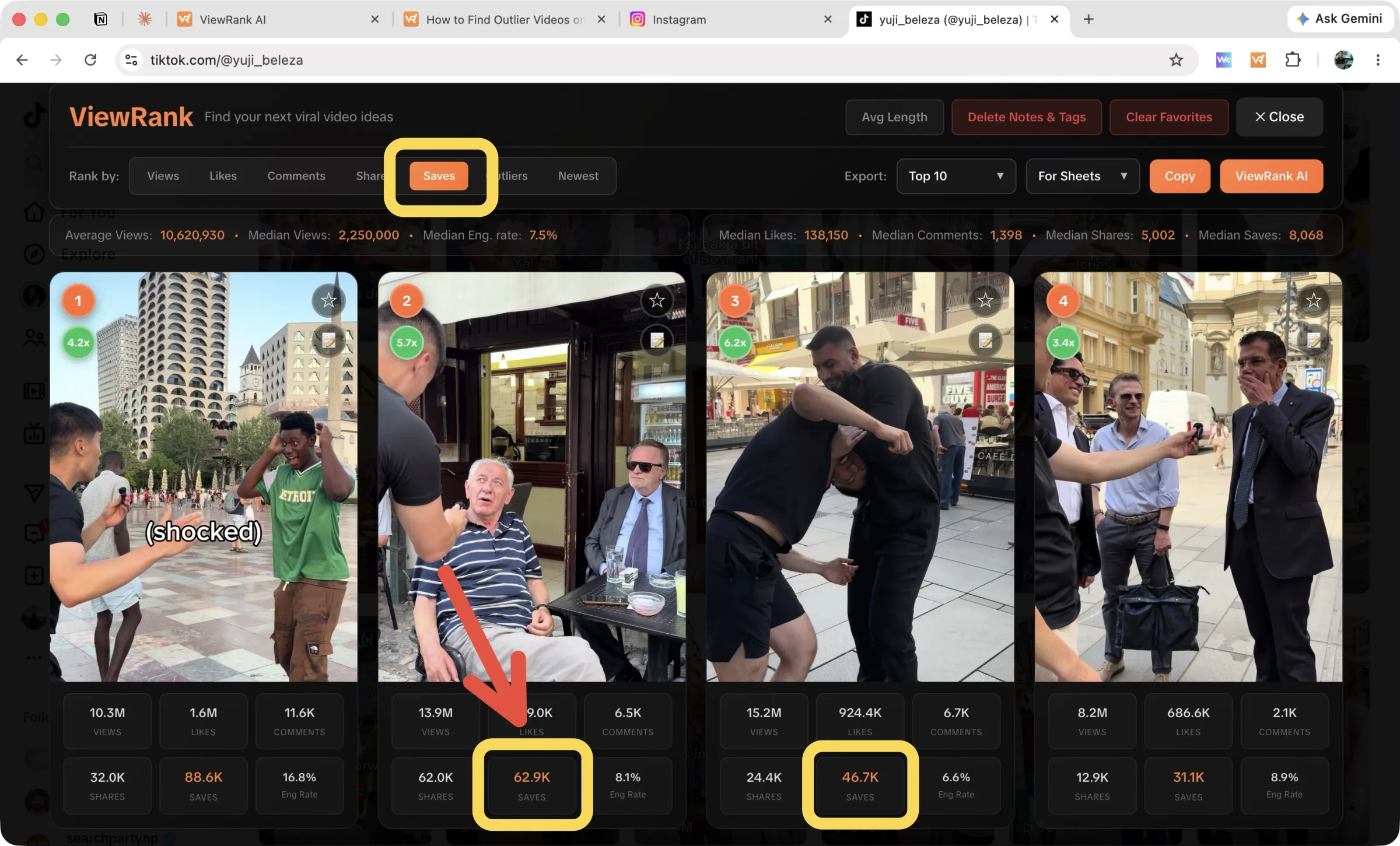
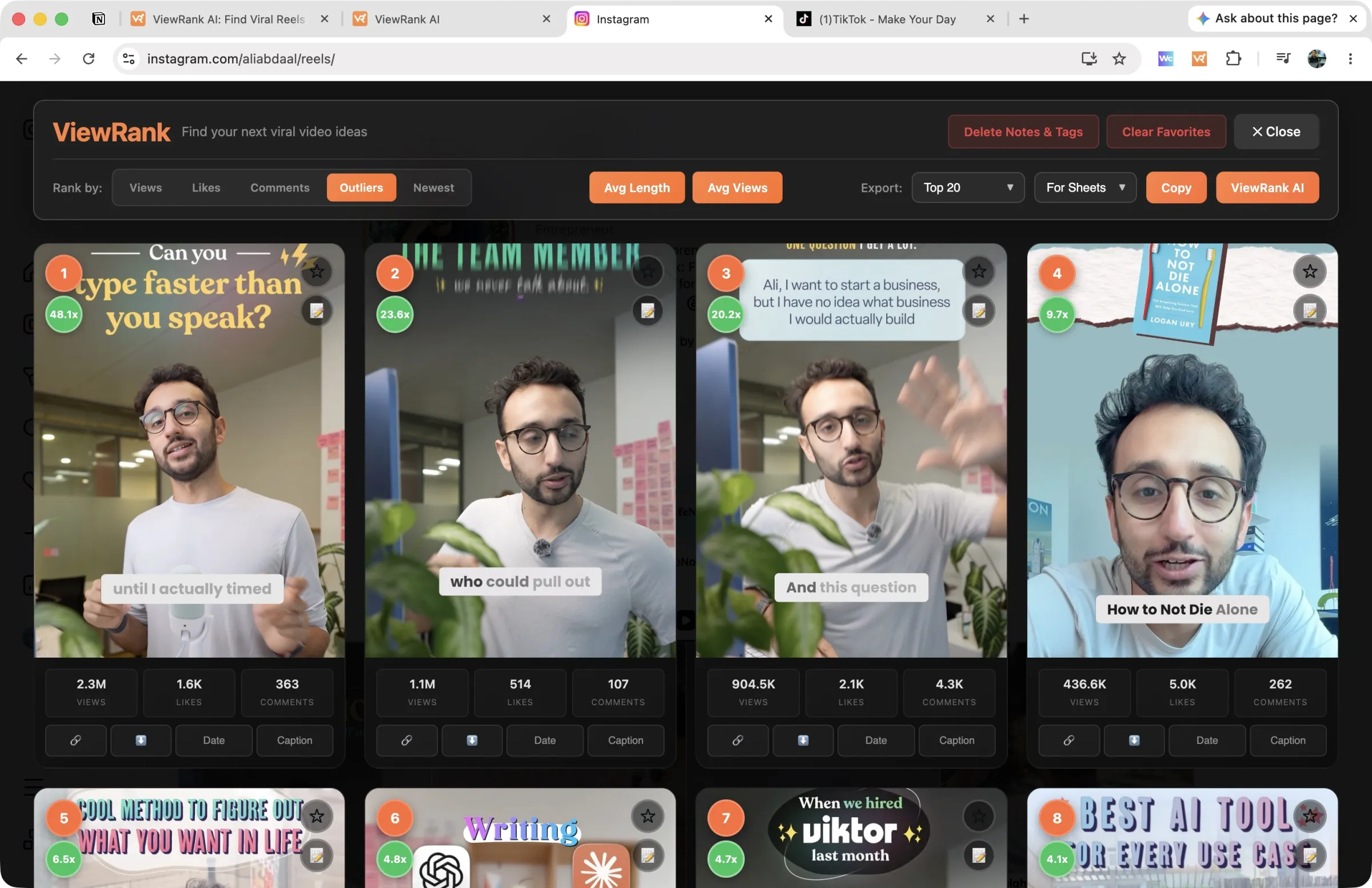
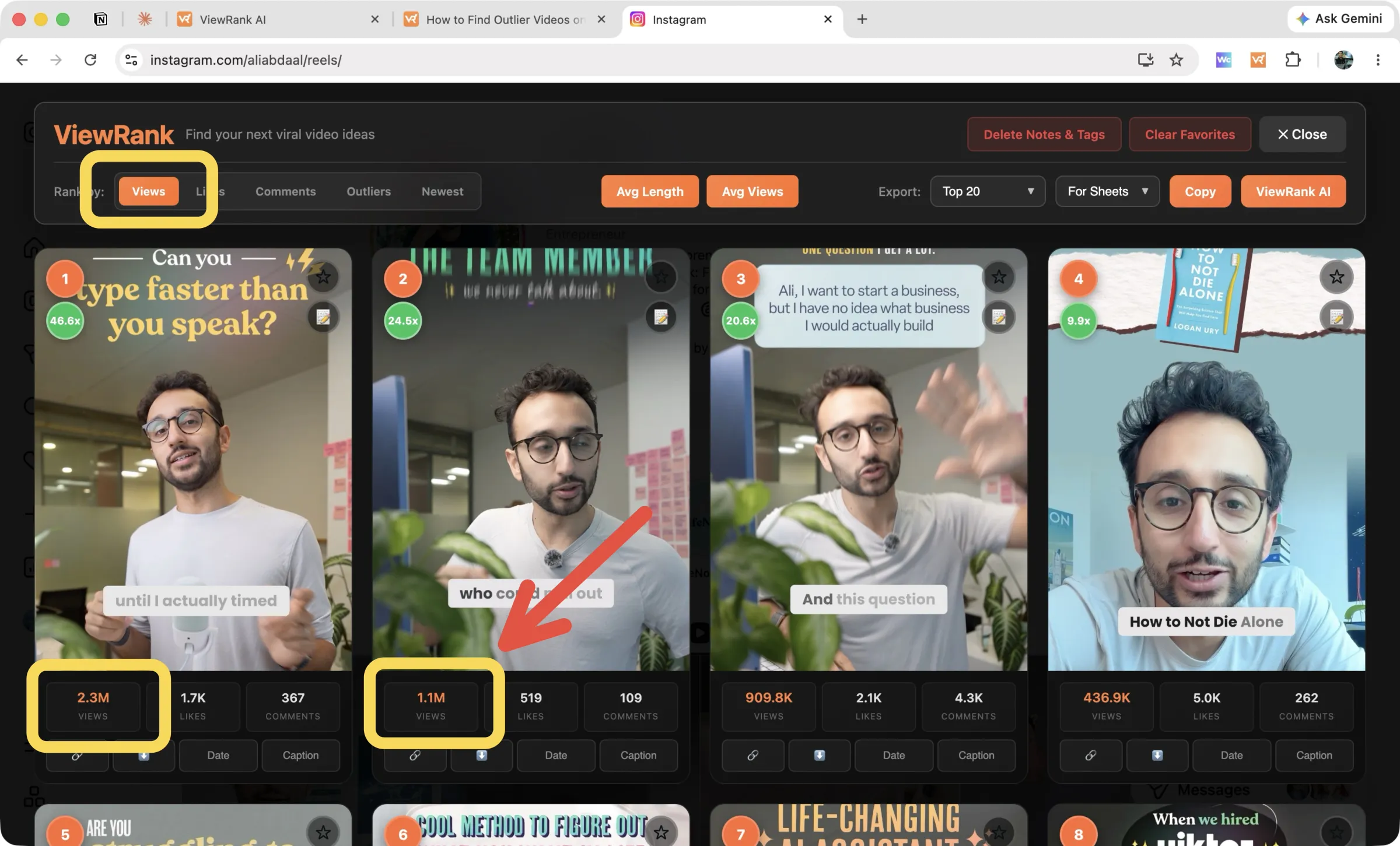
Write the baselines down somewhere. Next month, when a competitor's video crosses your feed, you'll know in a second whether it's actually working or just visible.
Step 3: Surface each account's outliers
Now find every video at 2x its account's baseline or better. These outliers are the whole point of the exercise. Each one is a topic, hook, or format that provably reached an audience beyond the account's own followers, which makes it evidence, not inspiration.
Manually, that means holding the baseline in your head while comparing thumbnails. In ViewRank, set "Rank by" to Outliers and the profile re-sorts by outlier score, green badges on everything at 2x and up, with old pinned videos excluded automatically so a two-year-old hit can't pollute the ranking. There are step-by-step walkthroughs for Instagram and TikTok if you want the detail.
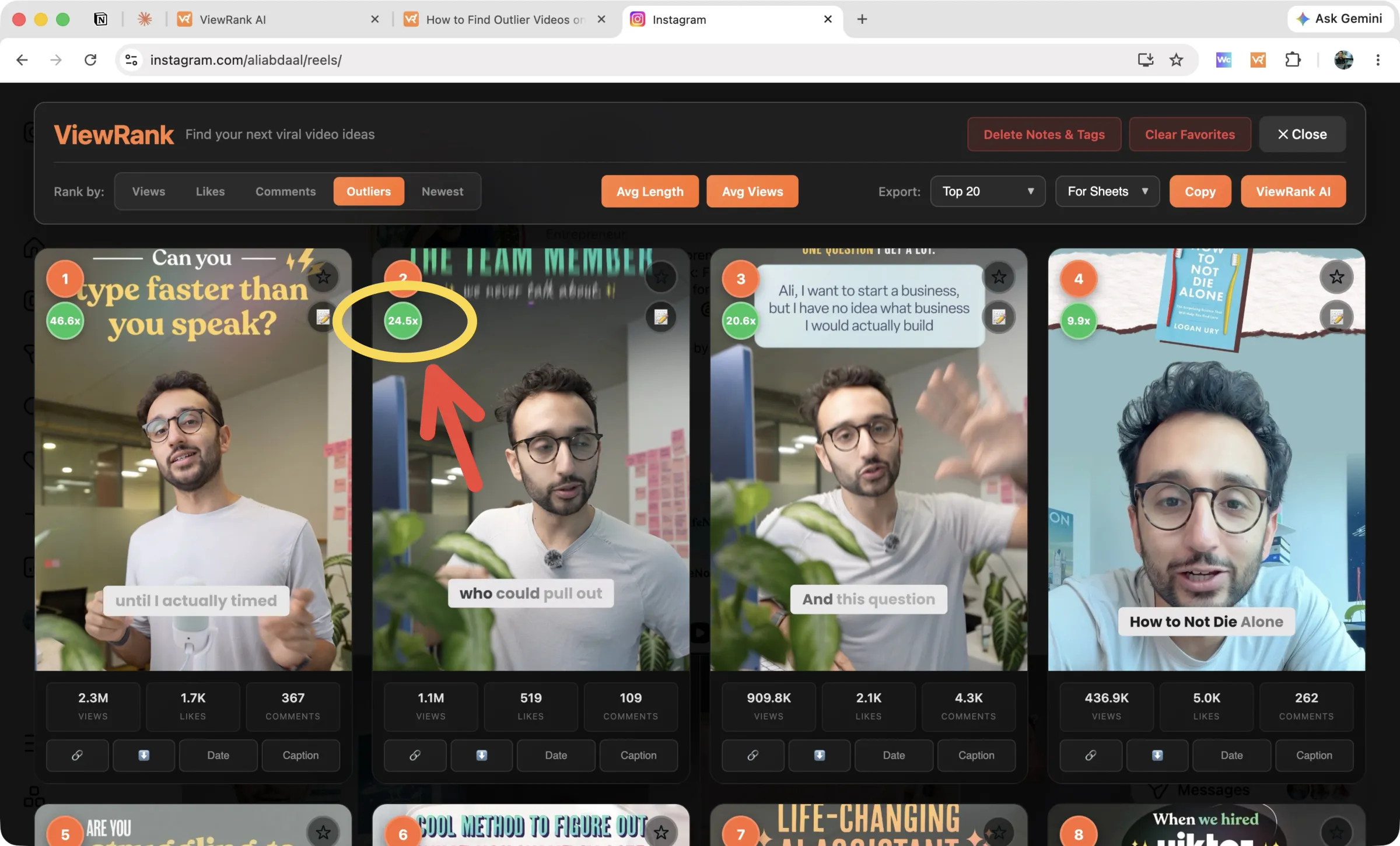
Work through your whole list and star every outlier you could plausibly adapt. Skip the ones you can't; a lottery-win story going 50x teaches you nothing repeatable.
Sort any Instagram or TikTok profile in one click
The free ViewRank Chrome extension ranks any profile's videos by views, likes, comments, or outlier score, right on the page.
Add ViewRank to Chrome, it's freeStep 4: Decode why the winners won
You should now have 20 to 40 outliers across your list. This is where the actual thinking happens, and there's no way to skim it. For each video, write down four things.
The hook, word for word. First line, first visual. Across 30 outliers, the hooks alone are a masterclass in your niche's psychology, and you'll start seeing the same few shapes: the bold claim, the specific number, the "you're doing this wrong." If you would rather read a hook than replay it, our free TikTok transcript tool and Instagram reel transcript tool transcribe any public video into text you can quote. For YouTube, how to transcribe a YouTube video for free covers the same job, and the YouTube thumbnail downloader saves fifty covers at once for a side-by-side read.
The format, named. Talking head, voiceover over b-roll, green screen, listicle with text overlays, day-in-the-life. Naming it is what makes it rebuildable.
The topic angle, precisely. Not "productivity" but "productivity advice framed as things I'd tell my younger self." The angle is usually the transferable part, more than the topic.
Length and pacing. How long, and how often the shot changes.
Then compare them side by side. One creator with three outliers in the same format has a habit. Three creators with outliers in the same format? That's a niche-wide pattern, and patterns are as close to a guarantee as this game offers.
You can also delegate the decoding. Import an outlier into ViewRank AI (there's a send button in the extension overlay) and you get the transcript, a scene-by-scene visual breakdown synced to the words, how the video was likely made, and why it likely worked. Optional. It compresses an afternoon of squinting into a few minutes of reading, but the manual version genuinely teaches you things too.
Step 5: Store your competitor research where you can find it
Research you can't find again didn't happen. Two habits prevent that. Export as you go: ViewRank produces a spreadsheet-ready table per profile with views, likes, comments, outlier scores, and your notes and tags, plus shares, saves, and engagement rate on TikTok. And keep a swipe file, every adaptable outlier with its hook written out and its format named. The extension's favorites and per-video notes cover this, and so does a plain spreadsheet; the tool matters less than the habit.
Step 6: Turn competitor patterns into your content calendar
Competitor research doesn't produce a report. It produces your next two weeks of videos, or it produced nothing.
Take the three strongest patterns you found, meaning formats or angles with multiple outliers behind them. For each, list three topics from your own expertise that fit. Nine ideas, each with evidence behind it. Schedule them, make them, then watch which ones beat your own baseline, because your outliers now feed the next cycle.
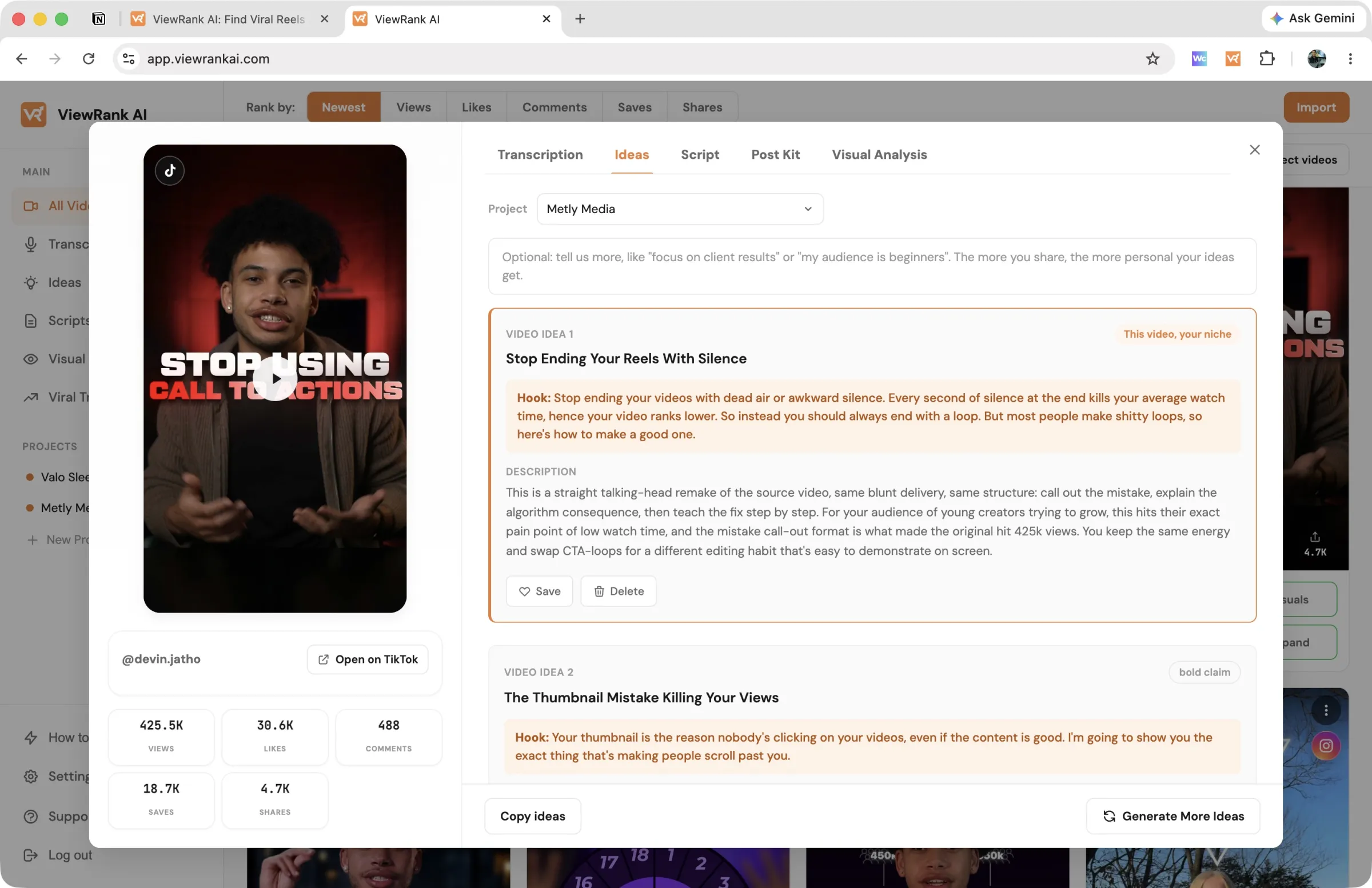
And if the blank page is still the bottleneck after all that, this is the other half of what the ViewRank AI workspace does: give it a winning reference plus your niche and goals, and it drafts fresh angles and complete, ready-to-record scripts on the pattern that made the original work. The manual version of that step is how to write a Reel script from a competitor's transcript. Free for 7 days if you want to test it on a real competitor's outlier.
Want to know why those videos worked?
ViewRank AI transcribes winning videos, breaks down their visuals scene by scene, and turns the patterns into fresh ideas and scripts for your own niche. Free for 7 days. Cancel anytime.
Start your free trialHow often to run competitor research
Full process, monthly. Light pass, weekly: open your list, sort each profile by Newest, and check whether anything recent is beating its baseline. Fifteen minutes, and no format shift in your niche gets past you while it still matters. Recency is worth being strict about, since an outlier from last month reflects the current algorithm and mood in a way last year's simply doesn't.
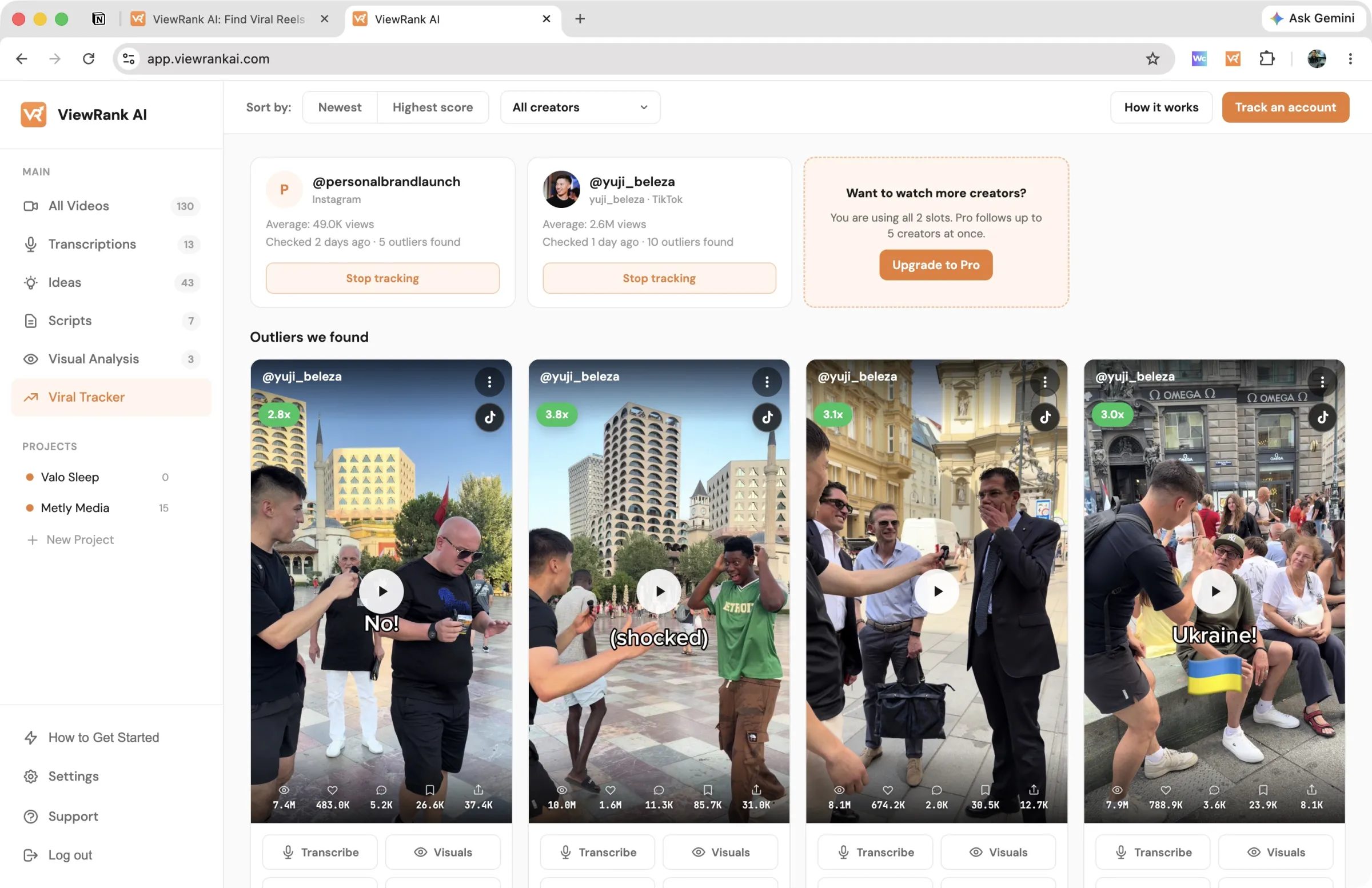
The weekly pass is also the part that quietly dies first. If you would rather it ran without you, the Viral Tracker in ViewRank AI watches your chosen creators on Instagram and TikTok, re-checks them every few days, and collects any video that reaches 2x their average into one feed with its score attached. Starter covers 2 creators, Pro covers 5, which is enough for your direct competitors.
FAQ
What should I look for when researching competitors on Instagram and TikTok?
Their outlier videos, the ones at 2x the account's normal views or better. Baselines tell you what's expected; outliers tell you what resonated. Hooks, formats, and angles that repeat across several accounts' outliers are the signals worth adapting.
How many competitor accounts should I track?
Five to ten. A few direct competitors, a couple of much bigger aspirational accounts, and a couple from adjacent niches that share your audience's psychology. Under five you get flukes instead of patterns. Over ten, the research stops happening.
Can I do competitor research without any tools?
Yes. Views are public on Instagram Reels and on all TikTok videos, so a spreadsheet and patience cover it. Tools buy back time, turning an afternoon of tallying into a few minutes of reading, which starts to matter once you're doing this weekly.
Is it legal to analyze competitors' public social media data?
Reviewing publicly visible content and metrics is ordinary competitive research; the platforms show those numbers to everyone. What you shouldn't do is repost or copy the actual content. Study the patterns, make your own videos.