How to Transcribe a TikTok for Free (Get Any TikTok Video as Text)
A free TikTok transcript in about fifteen seconds, from any public link, with or without captions on the video. Here is how TikTok transcription works, the four ways to get one, why some TikToks come back empty, and what to do with the text.
You can get a TikTok transcript for free from its link, in about fifteen seconds, without an account and without the TikTok app. Paste the link into a free TikTok transcript generator, and the spoken words come back as text you can read, search, copy and download, with the time it was said next to every line. It works whether or not the creator switched captions on, in more than 60 languages, and two new TikToks a day are free.
There are four ways to get a TikTok as text, and each gets its own section below:
- A free TikTok transcript generator. Paste the link, read the transcription. The fast route, and the one most people want.
- Type it yourself. Play, pause, type. Free and accurate, and only bearable for one or two videos.
- A paid transcription service. Download the video, upload the file, pay by the hour or the month. Built for recordings you made yourself.
- The ViewRank AI workspace. The same engine as the free tool with no daily limit, for people who read competitor TikToks every week.
Before the four ways, one short section on why TikTok itself isn't an option.
Does TikTok give you a transcript?
Not as text. TikTok generates automatic captions on many videos and draws them on screen while the video plays. Viewers can read them and switch them off. Nobody can select them, copy them, search them or save them, and on plenty of videos the creator turned them off or they were never generated.
The post caption under the video is a description and some hashtags. It rarely contains what was said.
So a TikTok video transcript has two possible sources. Either the video carries a caption track somewhere that a tool can read, or the audio has to be transcribed by a speech engine that listens and writes down the words. A good free tool does whichever one works for the video you asked about: it looks for the caption track first, and transcribes the audio when there isn't one. That second path is why some TikToks return nothing on other tools and still come back as a transcript here.
Way 1: How do you get a transcript from a TikTok video with a free transcript generator?
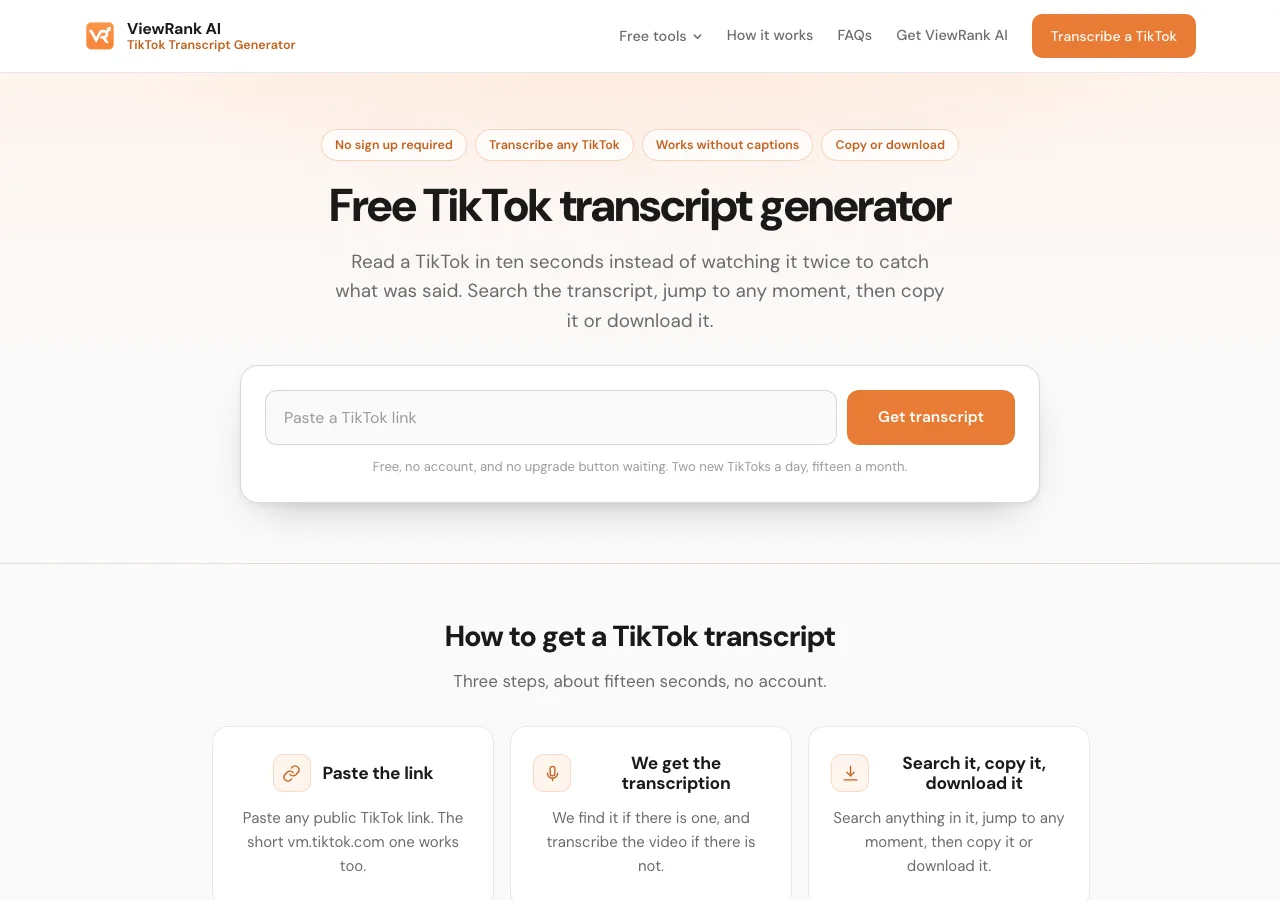
Copy the video's link, paste it into the free ViewRank AI TikTok transcript generator, and the transcription appears in about fifteen seconds. A transcript generator is a website that transcribes a TikTok video from its link, TikTok to text in one step. Three steps, about fifteen seconds.
- Open the TikTok and copy its link. In the app, tap Share and then Copy link. The short
vm.tiktok.comlink the app gives you works, and so does the fulltiktok.com/@handle/video/...address from a browser. - Paste the link into the free TikTok transcript generator and press Get transcript.
- Read it. Most videos are transcribed in about fifteen seconds. A seven second clip and a ten minute TikTok go through the same box.
Once the TikTok video transcript is on the page, you can do five things with it:
- Search inside the transcript. There is a search box above the text. Type a word or a phrase, and the tool shows you every moment in the video where it was spoken. Much faster than scrubbing a vertical video with your thumb.
- Jump to any moment. Click a line in the transcript and the video, playing on the same page, jumps to that second.
- Hide the timestamps. One switch removes the times from every line, so you get clean text to paste into a document or an AI assistant.
- Copy the whole transcript. One button copies all of the text at once.
- Download it as a file. Plain text, a Word document, a spreadsheet with one line per row, or an SRT subtitle file for editing software. TikTok itself offers none of these.
No TikTok login, ever. The tool works from the public link only, and a tool that asks for your TikTok password to transcribe a public video wants something the job doesn't need.
Sort any Instagram or TikTok profile in one click
The free ViewRank Chrome extension ranks any profile's videos by views, likes, comments, or outlier score, right on the page.
Add ViewRank to Chrome, it's freeIs TikTok transcription really free?
Yes, with one limit. Transcribing a TikTok video is free for two new videos a day, fifteen a month.
The reason is cost. A YouTube transcript is free to fetch because YouTube already made it. A TikTok often has to be transcribed from its audio, and that costs money on every video. The daily limit is what lets the tool stay free rather than turning into a trial with a paywall behind it.
Two things soften it. A TikTok somebody has already transcribed doesn't count against your two, and stays free for everyone who opens it afterward. And a failed link gives your read back. A private account, a deleted video, a link to a profile, or a video with nobody speaking in it costs nothing.
Does it work on TikToks without captions?
Yes. That's the main reason to get the transcription of a TikTok video from a tool instead of trying to read TikTok's own captions. When a video carries no caption track, the audio is transcribed directly, in more than 60 languages. A TikTok in Portuguese comes back in Portuguese, an Arabic one in Arabic, rather than translated into English.
The one thing no tool reads is text the creator typed onto the screen. Those words are part of the picture. If a TikTok makes its whole point in on-screen text over a trending sound, the transcription is empty, because nobody spoke.
Why did a TikTok come back empty?
Usually because nobody speaks in it. Five reasons cover nearly every empty result, and none of them spends one of your reads.
- Nobody speaks. Dance clips, a recipe filmed to a song, a montage over a trending sound. Music isn't speech. One exception: if the creator left captions on and those captions caught the lyrics, you may get the lyrics.
- The account is private. A free tool can only reach what you could watch without logging in.
- It's a photo slideshow. Slideshows carry no speech. Only videos work.
- The video was deleted. Once it's gone from the app it's gone for every tool.
- The link points at a profile. Open one video first and copy the link from that video.
Way 2: Can you type a TikTok transcript yourself?
Yes, and it's accurate, but it takes three or four minutes for every 30 seconds of video. It's the oldest way to turn a TikTok into text. Play the video, pause it, type what was said, play again. For a 30 second video it takes three or four minutes and the result is accurate, because you'll rewind anything unclear.
It costs nothing and needs no tool, and it stops being an option at about the fifth video. Nobody researches an account this way.
Way 3: When should you pay a transcription service for a TikTok?
When the recording is your own and isn't on TikTok. A paid transcription service is a website where you upload an audio or video file and a speech engine writes down the words. You pay by the hour of audio or by the month.
For a TikTok that means extra steps before the transcription starts: download the video as a file, upload that file to the service, and wait. These services are built for recordings you made yourself, interviews and meetings especially. For a public TikTok it's a long way round to what way 1 returns from a link, and it costs money on every video.
Way 4: When is the ViewRank AI workspace the better option?
When you read competitor TikToks every week and two a day isn't enough. ViewRank AI uses the same transcription engine as the free tool, without the two-a-day limit. Paste a TikTok link, or upload your own video file up to 50MB, and the video is transcribed in about a minute, in more than 60 languages. Starter covers 200 transcripts a month and Pro covers 600, across TikToks, Reels and Shorts.
Two differences from way 1. The first is the limit: 200 or 600 TikTok video transcriptions a month instead of two a day. The second is everything after the transcript. Every transcript is kept in one place, so you can compare an account's best twenty videos instead of reading them one at a time. Any transcribed video can go on to a visual analysis, which breaks the video into scenes with a frame from each and explains what was on screen. From there the workspace writes four video ideas built on what worked, and a full script with two hook options for whichever idea you pick. The Viral Tracker watches creators you choose and flags their outlier videos automatically, so the next video worth transcribing finds you. It's a workspace for people who make short videos every week, not a tool for one transcript. The transcriptions page in the docs shows what it looks like inside.
| Free ViewRank AI TikTok transcript generator | ViewRank AI workspace | |
|---|---|---|
| Cost | Free, no account | Paid plan |
| Transcripts | 2 new TikToks a day, 15 a month, plus any video already transcribed | 200 a month on Starter, 600 on Pro, across TikTok, Reels and Shorts, all kept in one place so you can compare them |
| Works without captions | Yes | Yes |
| Languages | More than 60 | More than 60 |
| Your own video files | No | Yes. Upload a video you filmed, up to 50MB, and it's transcribed the same way, so your own drafts get the same treatment as a competitor's hit. |
| Visual analysis | No | Yes. Every transcribed video is broken into scenes, with a frame from each, and the workspace explains what the hook, the pacing and the on-screen text were doing. You learn why a video worked, not only what was said in it. |
| Ideas and scripts | No | Yes. From any transcribed video the workspace writes four ideas for your own account, one of them a straight remake with your topic, then a full script for the one you pick, with two hook options and the spoken length. The blank page is gone. |
| Automatic tracking | No | Yes. The Viral Tracker watches the Instagram and TikTok creators you choose, works out each one's normal views, and flags any video that beats it by 2x or more. The next video worth studying finds you, instead of you checking profiles by hand. |
How do the free TikTok transcript tools compare?
Most of the sites that transcribe TikTok videos give you a small daily or weekly allowance and sell more on top, and some only open the allowance after you create an account. Here is what three of the most visible ones say on their own pages, next to the ViewRank AI tool, checked on September 12, 2026.
| Tool | Free allowance | How you give it the video | Downloads |
|---|---|---|---|
| ViewRank AI TikTok Transcript Generator | 2 new TikToks a day, 15 a month; videos already transcribed are free for everyone, failed links refunded | Paste a link, including short vm.tiktok.com links | Text, Word, spreadsheet, SRT |
| WayinVideo | 60 minutes a day after you create an account | Paste a link | TXT, DOC, PDF, SRT, VTT |
| Video Transcriber | 10 basic transcripts a day, 20 minutes of transcript | Paste a link | TXT, SRT, DOCX, VTT, CSV |
| Transcript365 | 5 credits a week, or TikTok at 0 credits when signed in until December 31, 2026 | Paste a link | TXT, SRT, VTT |
The allowance is small for the same reason on every one of them: a TikTok without a caption track has to be transcribed from its audio, and that costs money each time. So the question is how honestly the limit is stated and what it lets you do.
The ViewRank AI tool adds two things nobody else in the table states. A video anybody has already transcribed is free for everyone afterward, so the popular videos in a niche tend to be free already. And a failed link is refunded, so a private account or a dance clip with no speech never costs a read. It works with or without captions on the video, in more than 60 languages, with no account, no card, and no upgrade button after the transcript.
The page matters too. Many of the sites ranking for this search surround the paste box with ads, an upgrade banner, a sign-in prompt, and a menu of other tools. The ViewRank AI tool is one box on a clean page, and the transcript, the search and the downloads are all there with nothing to click past.
What do you do with a TikTok transcript?
Read the hook as text. The first line of a TikTok that traveled is usually shorter and more specific than it sounds while the creator is delivering it with a confident face and a trending sound behind them. On paper, you can see exactly how many words it took to reach the point. Do that for an account's five best videos in a row and the pattern is usually obvious before you finish.
Finding those five is a separate job from transcribing them. TikTok's Popular sort gives you a rough list of a creator's hits, and how to find the most viewed videos on any TikTok account covers going further, including by outlier score so you see which videos beat that creator's own normal. Once you have the transcripts, how to break down a viral video scene by scene is the full method for reading them.
If the aim is to make your own version, the transcript is where how to write a script from a competitor's transcript starts. Take the beat order and the sentence length. Leave the words.
TikTok and Instagram behave differently for this job, because Instagram publishes no caption track at all and every Reel has to be transcribed from audio. How to transcribe an Instagram Reel for free covers that side.
Want to know why those videos worked?
ViewRank AI transcribes winning videos, breaks down their visuals scene by scene, and turns the patterns into fresh ideas and scripts for your own niche. Free for 7 days. Cancel anytime.
Start your free trialFAQ
How do I get a transcript of a TikTok video?
Copy the video's link from the Share menu, paste it into a free transcript generator, and read the TikTok video transcript on the page. It works on any public TikTok, with or without captions, and needs no TikTok login.
Is there a free TikTok transcript generator with no sign up?
Yes. The ViewRank AI TikTok transcript generator needs no account and no card. Two new TikToks a day and fifteen a month are free, videos already transcribed by anyone stay free for everyone, and failed links are given back.
How do I get the text from a TikTok's captions?
You can't copy TikTok's on-screen captions, because they're drawn onto the video. A transcript generator reads the caption track when the video has one and transcribes the audio when it doesn't, then gives you the words as text you can copy.
Can I transcribe a TikTok without the app?
Yes. Copy the link from the app or from tiktok.com in a browser, paste it into the free tool, and read the transcript in your browser. Nothing installs and you never log in to TikTok.
Can I download a TikTok transcript?
Not from TikTok, which offers no transcript as text. From the free ViewRank AI tool, yes: as plain text, a Word document, a spreadsheet, or an SRT subtitle file, all free.
Can I get TikTok transcripts for several videos?
Yes, two new videos a day on the free tool, plus any video someone has already transcribed. For an account's whole back catalogue, the ViewRank AI workspace transcribes 200 TikToks a month on Starter and 600 on Pro and keeps the transcripts together.
Does TikTok transcription work in other languages?
Yes, more than 60. The transcript comes back in the language spoken, not translated. For a translation, copy the text into a translation tool or an AI assistant.
Can I get a TikTok transcript with timestamps?
Yes. Every line carries the time it was spoken. Click one to jump the video there, or hide the times for clean text. The SRT download keeps the timing for editing software.
Why do some TikToks come back as a transcript here when other tools return nothing?
Because the tool transcribes the audio when no caption track exists. Tools that only read the caption track return nothing on any video where the creator left captions off or TikTok never generated them.