How to Download a YouTube Thumbnail in Full Size With the Free ViewRank AI YouTube Thumbnail Downloader
Paste a YouTube link into the free ViewRank AI YouTube thumbnail downloader and get every thumbnail size that really exists, measured, as JPG, PNG or WebP. Shorts come back as the true vertical cover, and you can save up to 50 videos at once. No account, no limit.
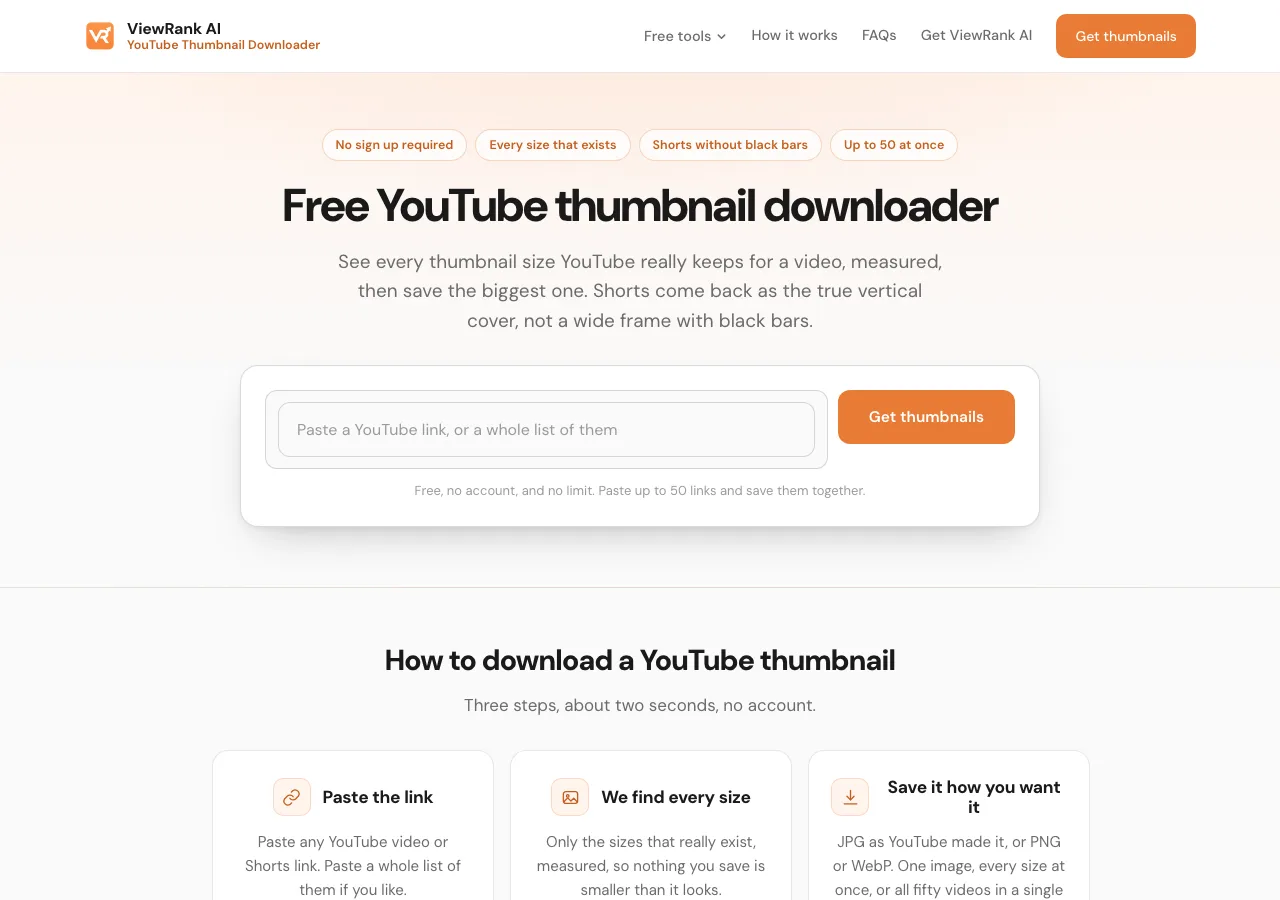
The free ViewRank AI YouTube thumbnail downloader saves the thumbnail of any YouTube video or Short in a few seconds. Paste the link, see every size YouTube really keeps for that video with its true width and height printed beside it, and save the one you want as JPG, PNG or WebP. Shorts come back as the real vertical cover rather than a wide frame with black bars, you can paste up to 50 links and save them all at once, and there is no account, no limit and no ads.
This post walks through the ViewRank AI YouTube thumbnail downloader step by step, then explains the things most thumbnail sites get wrong: which sizes exist, why "4K" thumbnails don't, why some videos have no big thumbnail, and how the Shorts cover works.
How do you download a YouTube thumbnail with the ViewRank AI YouTube thumbnail downloader?
Paste the video link, press Get thumbnails, pick a size, and save it. Four steps, about two seconds:
- Copy the link of the video or Short. Any link format works: a normal watch link, a short
youtu.belink, or a Shorts link. - Open the free ViewRank AI YouTube thumbnail downloader and paste the link into the box. Paste a whole list if you have one, up to 50 links, one per line or all in a row.
- Press Get thumbnails. The tool fetches every thumbnail file YouTube keeps for that video and measures each one, meaning it checks the real width and height of the image before showing it. Only sizes that really exist appear, and the card that says 1280 x 720 is a 1280 x 720 file.
- Save it. Press Save JPG for YouTube's original file, or choose PNG or WebP.
Every download is named after the channel and the video, which matters once you have ten of them. A folder of ten files all called maxresdefault.jpg is not research material.
Nothing you paste reaches a server. The images travel from YouTube straight to your browser, which is why the ViewRank AI YouTube thumbnail downloader needs no account and has no limit. It works on a phone too: paste the link in your phone's browser and press Save JPG. On Android the image goes to your downloads. On iPhone it lands in Downloads inside the Files app, and Share from there puts it in Photos.
Sort any Instagram or TikTok profile in one click
The free ViewRank Chrome extension ranks any profile's videos by views, likes, comments, or outlier score, right on the page.
Add ViewRank to Chrome, it's freeWhat thumbnail sizes does YouTube keep?
A small set of image files per video, each at a fixed web address built from the video's ID. The six that matter are in the table, checked against real videos on September 12, 2026. Every thumbnail tool on the internet, including this one, reads these same files. The differences between tools are which ones they check and whether they tell you the truth about what came back.
| File | Size | Which videos have it |
|---|---|---|
| maxresdefault.jpg | 1280 x 720 | Most newer videos. Far from all: very old videos and some small channels stop at the next size down. |
| sddefault.jpg | 640 x 480 | Most. Very old videos miss it. |
| hqdefault.jpg | 480 x 360 | Every video. |
| mqdefault.jpg | 320 x 180 | Every video. |
| default.jpg | 120 x 90 | Every video, and too small to be useful. |
| oardefault.jpg | 1080 x 1920 on most Shorts, occasionally larger | Shorts only. The true vertical cover. |
YouTube also keeps a few extra files that aren't the thumbnail: a duplicate of the 1280 x 720 image under another name, and up to three frames pulled from the video itself. Those frames can be larger than the thumbnail, so the downloader shows them on a normal video when you paste one link at a time, labelled as frames rather than the cover.
The ViewRank AI YouTube thumbnail downloader asks for every file in the table on every video, measures the ones that come back, and shows you the real ones with their real dimensions. The 120 x 90 file is left out because nothing is designed at that size any more, unless a video is so old that YouTube kept nothing else, and then you get it rather than nothing.
Can you download a YouTube thumbnail in 4K or HD?
HD, yes, if by HD you mean 1280 x 720. 4K, no. YouTube does not give anyone a 4K thumbnail, and any tool advertising one is handing you the 1280 x 720 file with a bigger label on it.
The confusion is recent. In March 2026 YouTube raised its thumbnail guidance for creators to a recommended 3840 x 2160 upload and a 50MB file limit, because more viewing now happens on televisions. So creators really do upload 4K thumbnails. What YouTube gives out did not change. The largest file returned for any video, including brand-new uploads from the biggest channels, is still 1280 x 720. The 4K original goes in and a smaller copy comes out.
The ViewRank AI YouTube thumbnail downloader measures every file rather than assuming its size, so the day YouTube starts sharing what creators upload, the bigger file will appear in the tool with its true dimensions. Until then, 1280 x 720 is the honest answer, and the tool says so.
Why is the big thumbnail missing on some videos?
Because YouTube only creates the 1280 x 720 file in some cases. Newer videos usually have it, and videos where the creator uploaded a custom thumbnail almost always do. Older videos and plenty from small channels stop at 640 x 480 or 480 x 360.
This is why a thumbnail saved from another site sometimes looks blurry. The site grabbed a small file and said nothing. The ViewRank AI YouTube thumbnail downloader shows you the biggest one that exists, with its real dimensions printed on the card, so you know what you got before you open it.
Two other reasons nothing comes back at all: the video is private, and YouTube shows the pictures of a private video to nobody, or the link points at a channel page or a playlist rather than one video. The tool tells you which.
How do you download a YouTube Shorts thumbnail without black bars?
Paste the Shorts link into the ViewRank AI YouTube thumbnail downloader and the vertical cover comes first, marked as the real one, in its true 9:16 shape. On most Shorts that file is 1080 x 1920, and on a few it's larger still. The wide version sits underneath, named for what it is, in case a wide crop is what you want.
Other tools get this wrong because they ask YouTube the wrong question. The standard thumbnail files are all wide, made for regular videos, so when a tool requests one of those for a Short, YouTube squeezes the vertical cover into the middle of a wide frame and fills the sides with dark bars. That letterboxed picture is what nearly every thumbnail site returns. The true cover lives in a separate file most tools never request, and it holds more pixels than the biggest wide thumbnail, which makes it the best image YouTube has for a Short.
One thing about what you'll see. Until late July 2026, a Short's cover was always a frame the creator picked during upload, which is why so many are mid-blink screenshots. Designed Shorts covers only arrived then, for creators in the YouTube Partner Program first. So when a cover you download is a plain video frame, that really is the cover.
How do you download many YouTube thumbnails at once?
Paste up to 50 links into the same box, videos and Shorts mixed, and press Get thumbnails. Every video gets its own card with its real sizes. One button saves the biggest image of every video into a single file, each one named after its channel and video.
That's the version of this job that matters for research. One thumbnail tells you what one creator chose. Fifty from the same niche, laid out side by side, show you which colours, face sizes and text lengths the niche has settled on, and which of the outliers broke the pattern. Finding the outliers in the first place is a different job, covered in Instagram competitor analysis for short-form video.
Which format should you save a thumbnail in?
JPG, unless you have a reason not to. It's YouTube's own file with nothing done to it. PNG and WebP are written from the same pixels by your browser, so they're the same picture in a different wrapper, useful when a design tool or a website prefers one of them. Safari can't write WebP, so there you get JPG and PNG.
How does the ViewRank AI YouTube thumbnail downloader compare with other thumbnail sites?
They all read the same YouTube files. The differences are in what they claim, what they check, and what they do with a Short. Here is what the sites ranking for this search say on their own pages, checked on September 12, 2026.
| Tool | Largest size claimed | Checks which sizes exist | Shorts vertical cover | Formats | Many links at once | Account |
|---|---|---|---|---|---|---|
| ViewRank AI YouTube Thumbnail Downloader | 1280 x 720, and the true vertical cover, 1080 x 1920 or larger, for Shorts | Yes, every file is measured and only real ones are shown | Yes, shown first and marked as the real one | JPG, PNG, WebP | Up to 50 | No |
| Thumbload | "HD, Full HD & 4K" in the page title; 1280 x 720 and "1080p" for vertical videos in the copy | Not stated | Shorts supported; no mention of the 9:16 file | JPG, PNG, WebP | Not stated | No |
| thumbs.ai | "up to 4K" and "hidden 4K Ultra-HD files" | Not stated | Yes, a separate Shorts page for "9:16 cover images" | JPEG | Yes, batch and by channel | Credit based: 20 free credits, then paid plans |
| Comment Picker | "typically 1280 x 720" | Yes, "only displays the images that YouTube makes available" | Shorts supported; vertical cover not mentioned | Not stated | Not stated | No, with an ad-free Premium tier |
| YouTubeThumbnailDownloader.com | "Full HD (1080)", "4K" in the copy | No, "If Full HD is unavailable, try Medium or Small sizes" | Not stated | Not stated | Not stated | Not stated |
| vidIQ | "up to 1280 x 720" | Not stated | Not stated | Not stated | Not stated | No |
| SEOStudio | 1280 x 720 | No, five fixed size options | Shorts form provided; vertical cover not mentioned | Not stated | Not stated | Not stated |
Three patterns in that table.
The "4K" and "Full HD 1080" labels are marketing. YouTube's largest wide thumbnail is 1280 x 720, and every tool in the table reads that same file. Two of the sites that advertise 4K describe the 1280 x 720 file in their own copy further down the page.
Most sites show fixed size buttons and let you find out which ones fail. Comment Picker and ViewRank AI are the two in the table that say they check first. On a video with no big thumbnail, a fixed-button tool either errors or quietly hands you a smaller file than the label says.
The Shorts vertical cover is mostly ignored. Several sites accept a Shorts link and return the wide letterboxed frame. thumbs.ai has a separate Shorts page for the 9:16 cover and charges credits after the first twenty. ViewRank AI returns the vertical file first, free, with no account.
The other difference is the page itself. Many of the sites ranking for this search carry ads around the download buttons, bundle the tool into a page of unrelated converters, or sell an ad-free experience as the premium tier. The ViewRank AI YouTube thumbnail downloader is one box on a clean page: no ads, no login, no credits, and the images never pass through a server, which is why it can have no limit.
Is it allowed to download someone else's YouTube thumbnail?
Saving a thumbnail to study it, keep a reference, or show it in a critique is ordinary use of a public image. The picture itself belongs to the creator who made it. Don't upload it as the thumbnail on your own video, and don't sell it.
A thumbnail tells you why somebody clicked. It can't tell you why they kept watching, and for short video that second question decides everything. That's what ViewRank AI is for: it transcribes Reels, TikToks and Shorts, studies what was on screen scene by scene, and turns what it finds into ideas and scripts for your own account.
Want to know why those videos worked?
ViewRank AI transcribes winning videos, breaks down their visuals scene by scene, and turns the patterns into fresh ideas and scripts for your own niche. Free for 7 days. Cancel anytime.
Start your free trialFAQ
How do I download a YouTube thumbnail in full size?
Paste the video link into the free ViewRank AI YouTube thumbnail downloader and save the largest size shown. On most videos that's 1280 x 720. On a Short it's the vertical cover, 1080 x 1920 or larger. Every size is measured before it's shown, so the label matches the file.
What is the highest resolution YouTube thumbnail you can download?
1280 x 720 for a normal video, whatever a tool's buttons say. For a Short, the vertical cover is 1080 x 1920 on most videos and occasionally larger. YouTube also keeps up to three frames from a normal video that can reach 1920 x 1080, but those are frames, not the thumbnail.
Can I download a YouTube thumbnail on my phone?
Yes. Paste the link into the ViewRank AI YouTube thumbnail downloader in your phone's browser and press Save JPG. On Android the image goes to your downloads. On iPhone it lands in Downloads inside the Files app, and Share from there puts it in Photos.
Can I download a YouTube thumbnail without a tool?
Yes. Every thumbnail is an image at a fixed address built from the video's ID, such as img.youtube.com/vi/VIDEO_ID/maxresdefault.jpg, and you can open that address in a browser and save the image. You won't know the size until you open the file, the big one is often missing, and a Short comes back with black bars unless you know to ask for the oardefault file instead. The ViewRank AI YouTube thumbnail downloader does all of that checking for you.
Why does my downloaded YouTube thumbnail look blurry?
Because that video has no big thumbnail file, so the largest real one is small, or because the tool you used grabbed a small file without saying so. The ViewRank AI YouTube thumbnail downloader shows you what exists with its real dimensions. No tool can save a file YouTube never made.
Can I download the thumbnail of a private or deleted video?
No. YouTube shows the thumbnail of a private video to nobody, and a deleted video's files are gone. A link to a channel page or a playlist also returns nothing, because those have no thumbnail. Open one video and copy its link.
How many thumbnails can I download at once?
Fifty. Paste the links one per line or all in a row, mix videos and Shorts freely, and one button saves the biggest image of each into a single file.